
Olive Tree vs Accordance: A Head-to-Head for 2026
By Sankalp Jonna · Last reviewed 2026-05
How we tested
Every app here was installed and used personally. We capture raw findings — typed notes, screenshots, screen recordings, voice memos — and the writing is AI-assisted from those raw notes. Scores, rankings, and "best for / skip if" calls reflect our actual experience with each app. Read the full methodology →
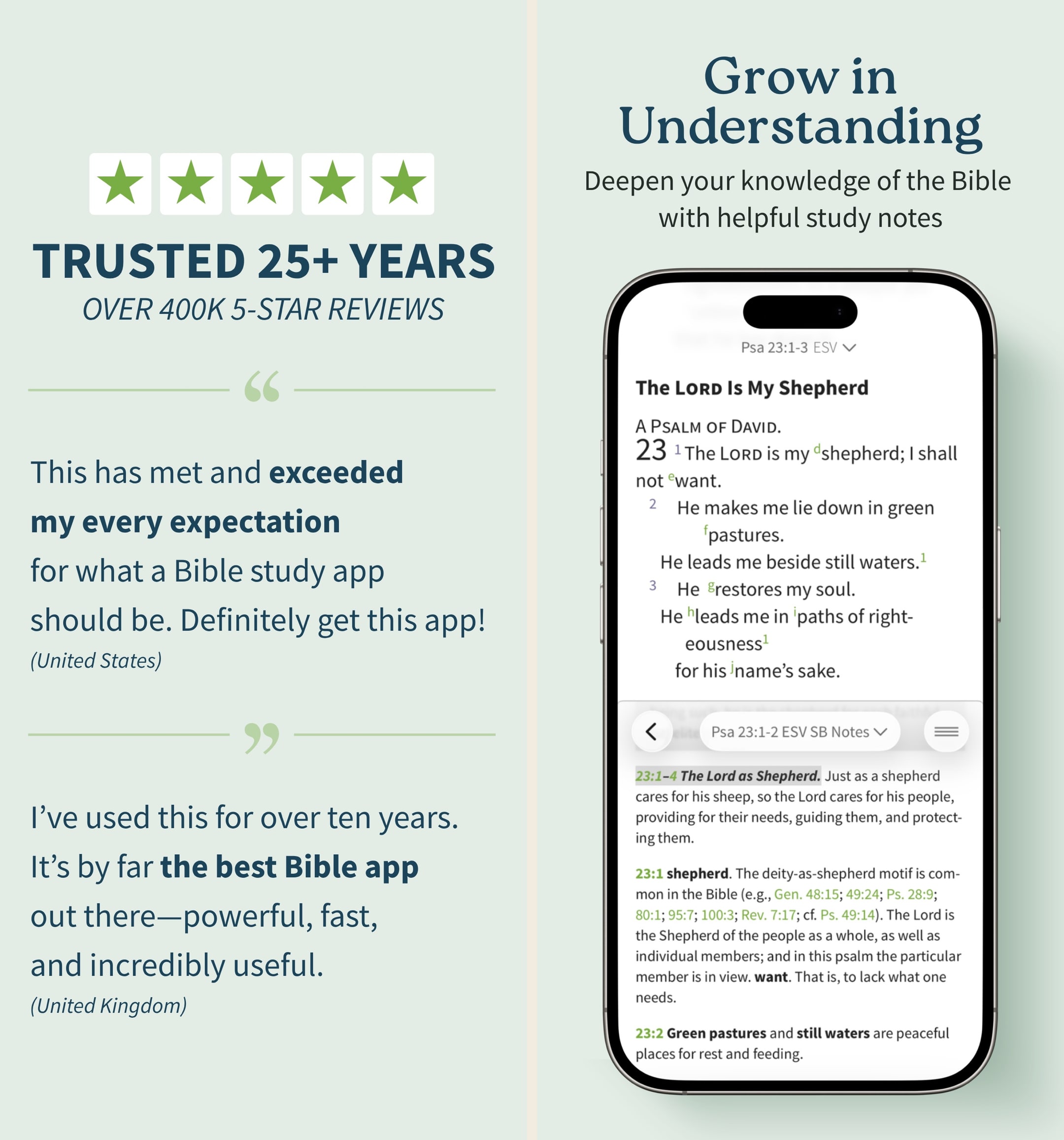
Olive Tree Bible
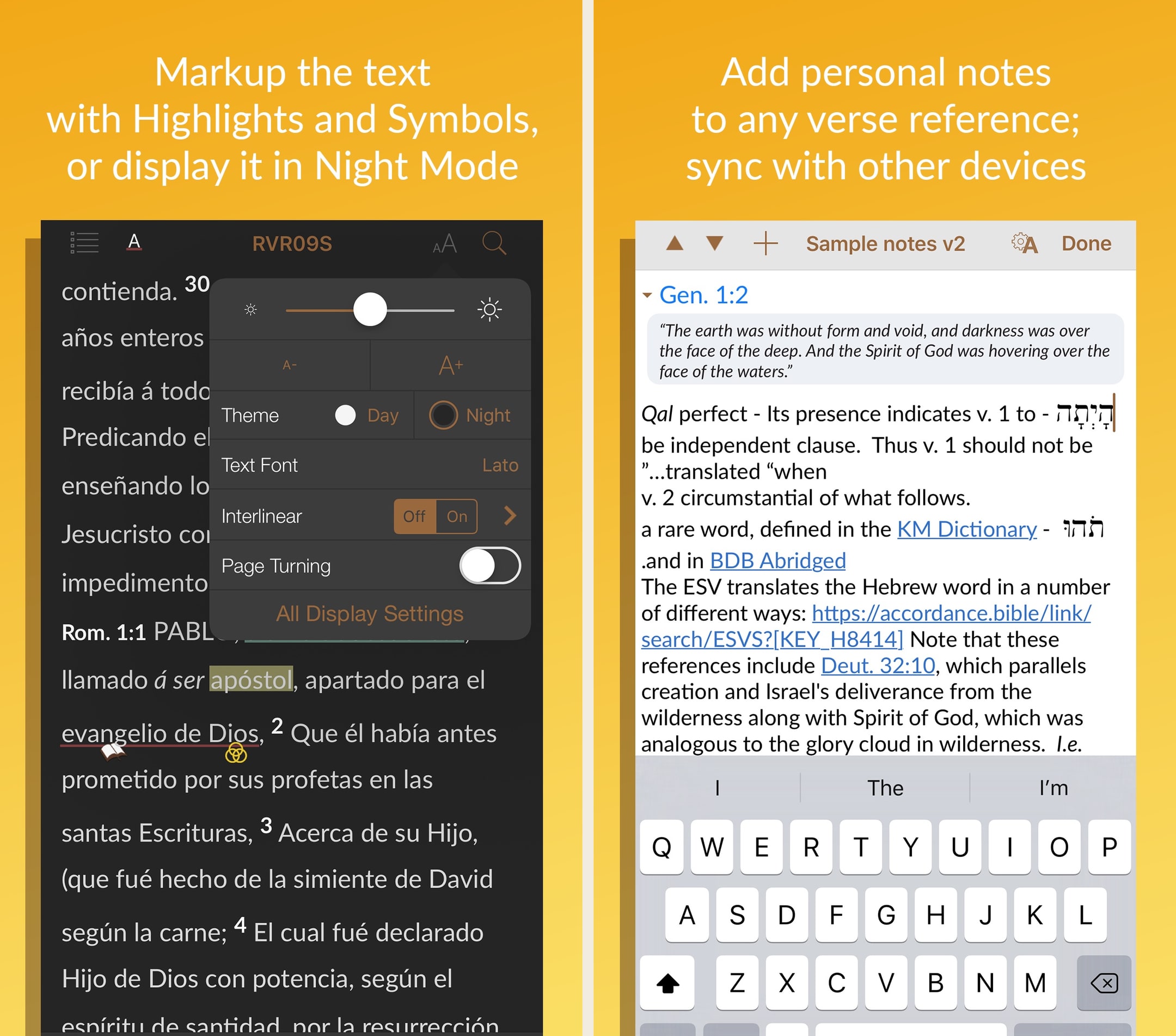
Accordance Bible Software
Quick verdict
Choose Olive Tree Bible if
- You read mostly on iPhone and iPad and you want serious study tools that genuinely work on a phone — split-window reading is best-in-class.
- Your budget is $200-500 over a few years for resources, with no required subscription.
- You want a generous free tier that's genuinely usable on its own — you can do real reading and basic study without paying.
- You're a small-group leader, lay teacher, or serious daily reader who needs commentary access but not seminary-level depth.
- You appreciate Olive Tree Plus as an optional subscription ($5.99/mo, $29.99/semi-annual, $59.99/year) for cross-device sync and premium features.
Choose Accordance Bible Software if
- You're a Mac user and you want a Bible app that runs natively fast on Apple Silicon — desktop performance is meaningfully better than Olive Tree.
- Your work involves original languages (Greek, Hebrew, Aramaic, Syriac) at a research level, and you want academic-grade tools.
- You'd rather invest $49 in a starter license plus selective resource purchases than build a library piece by piece.
- You want a 90-day free trial with 60+ included resources to evaluate the platform before committing.
- You're a pastor or scholar whose research happens at a desk, not on a phone, and you can accept a weaker mobile companion app.
Side-by-side
Feature-by-feature, the way we'd lay it out at a kitchen table.
| Feature | Olive Tree Bible | Accordance Bible Software |
|---|---|---|
| Pricing model | Free app + ownership purchases + optional Plus subscription | $49 starter license + ownership purchases (no subscription) |
| Free tier | Free tier; full access via paid subscription | Free tier; optional in-app purchases |
| Subscription option | Olive Tree Plus: $5.99/mo, $29.99/semi-annual, $59.99/year (optional) | None — purchases only |
| Starter cost to a working library | $0-$200 to start (free tier is real) | $49 starter license + $200-500 in resources |
| Best-running platform | iOS, Android, iPad, Mac, Windows, Web — best on mobile | Mac-first; iOS, iPad, Windows, Android available |
| Library breadth | Strong Protestant and Reformed catalog; lighter on academic | Stronger academic and original-language catalog |
| Original-language tools | Strong's, interlinears, Greek/Hebrew lexicons | Research-grade — Greek, Hebrew, Aramaic, Syriac |
| Mobile experience | Best-in-class for serious study — split-window reading | Companion app, weaker than the Mac/Windows desktop client |
| Note-taking | Long-form, taggable, organized by passage; clean cross-device sync | Capable but less polished than Olive Tree's mobile notes |
| Best-fit reader | Serious lay students, small-group leaders, mobile-heavy readers | Mac-using pastors and scholars who prefer desktop research |
Setup & onboarding
Core features
Pricing breakdown
Support & community
Mobile experience
Verdict
Warmpeach — coming soon
Join the Bible chat app waitlist
Why this comparison comes up
If you've ruled out Logos because you don't want a subscription, or because the catalog overwhelms you, or because the Faithlife ecosystem feels like one too many products, you end up looking at Olive Tree and Accordance. They're the two ownership-model serious-study Bible apps left standing — both have decades of catalog, both let you buy resources once and keep them, and both are real alternatives to Logos for users who'd rather not be billed every month for as long as they want their library to keep working.¹²
The reason these two get compared isn't that they're identical. It's that they share the same philosophical opponent (subscription software) and the same niche (serious study without subscription drag). What they don't share is target user. Olive Tree is built for the mobile-first serious lay reader and small-group leader. Accordance is built for the Mac-using pastor or scholar who lives at a desk. The choice between them mostly comes down to where you do your study.
The buyer profile
The Olive Tree buyer typically reads on a phone or iPad more than on a laptop. They want serious study tools — Strong's, interlinears, real long-form notes, multiple translations side-by-side — but they don't need research-grade original-language datasets or the deepest possible commentary catalog. They might be a small-group leader, a curious lay reader who outgrew YouVersion, a pastor at a smaller church, or simply someone who finds Logos's interface too busy and Accordance's mobile app too weak.
The Accordance buyer is usually a Mac user — often a pastor, seminary student, or biblical-languages scholar — whose study life happens at a desk. They want academic-grade Greek, Hebrew, Aramaic, and Syriac tools; they value desktop performance and a clean UI; and they're comfortable accepting a weaker mobile companion in exchange for a stronger desktop client. Many Accordance users have been on the platform since seminary and stay for the lifetime of their ministry.
The mobile vs desktop question
This is where the comparison cuts cleanest. If your weekly Bible study time is mostly on a phone or iPad — reading on the train, looking up commentary on a coffee break, taking notes during church — Olive Tree is the right tool and Accordance's mobile app will frustrate you within a week. If your weekly study time is mostly at a Mac, Accordance's desktop performance and academic catalog reach into depth Olive Tree doesn't try to cover, and the weaker mobile companion is acceptable because mobile isn't your primary surface.
Most users tell themselves they study on both, but in practice one surface dominates. Be honest about which one. The decision follows.
What stuck with us in actual use
After several weeks running both, two things stuck.
First: Olive Tree's split-window mobile reading is the single best small-screen study feature in any Bible app. Putting two translations side-by-side on a phone, or a translation paired with a commentary, transforms what's possible during a thirty-minute commute.¹ Nothing in Accordance's mobile app comes close — and frankly, nothing in any other Bible app does either.
Second: Accordance on Apple Silicon is fast in a way that affects daily workflow. Library searches across a large Accordance catalog return faster than the equivalent in Olive Tree's desktop client, and the gap shows up in cumulative time savings during a research session.³ For a pastor running ten or twenty searches in a sermon-prep block, the speed adds up.
The pricing reality
Both platforms reward patient buyers. Olive Tree's pricing is genuinely friendlier on the front end — the free tier is real, Plus is optional, and you can build a library a few resources at a time during sales.¹ Accordance's $49 starter license is a real entry cost, and individual resource purchases trend slightly higher than Olive Tree's, but the trade-off is access to a deeper academic catalog and stronger desktop tools.²
A serious Olive Tree library typically costs $200-500 over a few years. A serious Accordance library typically costs $350-750 over the same period. Both are dramatically cheaper than building an equivalent Logos library, and both let you stop buying without losing access to what you already own.
The free-tier difference
Olive Tree's free tier is the better evaluation path. Install the app, use the free translations, try the basic study tools, and decide over weeks or months whether to buy resources or subscribe to Plus. Accordance's 90-day free trial is generous (60+ resources included) but it has a clock; you'll either commit to the $49 starter license at the end or lose access to the platform entirely. Both approaches are reasonable, but Olive Tree's open-ended free tier is friendlier for users who'd rather defer the purchase decision.
When to pick which
Pick Olive Tree if you study on mobile, you want a friendly free tier, and your work doesn't require research-grade original-language tooling. The mobile-first design is genuinely better than Accordance's, and for serious lay students and small-group leaders, it's the right tool.
Pick Accordance if you're a Mac-using pastor or scholar, your work involves Greek, Hebrew, Aramaic, or Syriac at an academic level, and you do most of your study at a desk. The desktop performance and academic catalog are real advantages over Olive Tree.
Don't run both. The libraries don't transfer between platforms, and the overlap is large enough that buying both is mostly buying the same resources twice. Pick one based on your dominant study surface and commit.
What real users say
Real-user reviews
God’s Word on the go!
I have used this particular Bible app. off and on for several years. I really enjoy this version of the Bible. The Bible itself is easily understood and user friendly. I would strongly recommend this wonderful book to any and all both Christian and novice alike. I intend to use it more often and try harder to absorb the words and their meanings each and every day. Probably the best approach would be to start a daily journal to better understand what I am reading. Many do not read the Bible I believe because some of the readings are hard to understand but this version is very user friendly as stated. So those reading these comments let me encourage you to take some time to read and pursue the Olive tree Bible version and see for yourself. Ask God to open your mind, heart and eyes in the pursuit of His truth and watch the blessings flow in your life. We are living in hard times so much doubt and fear surrounds us all. Many are looking for peace. The peace you look for can be found in God’s Word. Don’t believe me read for yourself. If you are looking for a true friend Look no further than God Himself. He loves you and cares very much for you and your family and friends. As a follower of Christ even though we have never met I love you as a bother and sister. My prayer is that God will open your eyes and heart to what He wants for you in this life. Never give up, keep reaching to the heavens and know your are loved beyond your comprehension. Blessings to all Rick
— a new begjnning
My "Go to" Bible
Since the days of Palm, Blackberry and other PDA's, it's amazing that there are literally dozens of different translations and dozens of different commentaries available at ones fingertips. Olive Tree's app is easy to access and easy to use (and this by someone not the least bit tech savvy), with their Resource Guide handily cross referencing Bibles, commentaries, dictionaries, and other reference materials... even one's personal notes. I use it for my individual Bible study/daily devotions, and my husband uses it in far more detail and depth for his sermon prep.. It can be as simple or complex as someone wants to make it, and there is no lack of choices in Olive Tree's library. It moves a bit more smoothly than Laridian, is far simpler to navigate that Accordance, and is more affordable than Logos... One thing to note... When you purchase books, I recommend you always go through their website instead of buying them through the app... 1. If there's a problem you can return the book for a full refund, 2. You can earn points and get discounts... One thing I would improve... The search engine... When a word or phrase is searched, it only searches the book that is open... (As opposed to Laridian which will search your entire library...) After using a number of computer programs, PDA and other Bible apps for years, I find that Olive Tree is the app I start with, end with, and use the most in between...
— Biblehearted
Real-user reviews
Great app, but a few user interface issues
Accordance is one of the best Bible study apps available, period. I use it regularly, both for personal reading and devotion, and in my studies and research. Version 3.4 has been much more stable than previous versions, however, I still run into user interface issues. For example, if I want to switch to a different book or resource while in reader view, I try to click in the top left corner, but 95% of the time, or more, it only brings up the instant details pop up or the verse tool. I have literally spent over 2 minutes just trying to change Bible books in the middle of sermon while trying to keep up with the teaching. If there is a gesture just for bringing up the resource selector, I am not aware of it. Also, the divider between the two text panes always changes position when switching between apps. I usually keep the divider halfway between my English and Hebrew/Greek texts. When I switch to my note taking app and then switch back, the divider has jumped to the ⅔ of the screen in English text and ⅓ in original language. That means every time I switch, I also have to reposition the divider. This is frustrating and should be easily fixed. As it is, sometimes, if I’m trying to take notes in the middle of a sermon or teaching, I don’t use Accordance, but use a simple Bible reader app, just because I get frustrated with the user interface issues. I hope OakTree Software takes care of this, because when Accordance works properly, it’s probably my favorite Bible app.
— j micah
Not a Fan of App
First -- I'm not particularly happy that I'm basically forced into writing a review. The "Give Us a 5-Star Review" notification pops up every time I open the app. The only options are to either write a review or press the "maybe later" button. Turns out, the "maybe later" is every time I open the app. Not cool. Second -- I would give this app 5 stars if it weren't for the fact that it locks up on the loading screen far too frequently (actually, even once would be too many times). I'm forced to delete the app, re-download it, and then pick through the many books, commentaries, etc. to download as well. I have found that the fewer items I select, the better chance I have of not needing to repeat the whole process. This is very frustrating, since I have purchased many, many resources over the years. Even when I download only a few items, the app may work well for a couple of weeks but then lock up again (without adding other items). Again, this is extremely frustrating -- especially in light of how much money I've paid over the years.
— Theophilus7777
Warmpeach — coming soon
A Bible chat app — pastor and therapist in one.
Warmpeach is a Bible chat app that blends a pastor's care with a therapist's questions, grounding every reply in scripture. Join the waitlist and we'll email you when it opens up.
Sources
-
Olive Tree Bible — App Store listing (free tier, Plus subscription, split-window reading, ownership-model resources). Accessed 2026-05-11. https://apps.apple.com/us/app/bible-app-by-olive-tree/id332615624
-
Accordance Bible Software — official site (starter license, ownership pricing, academic catalog). Accessed 2026-05-11. https://www.accordancebible.com/
-
Hands-on testing notes captured during 2026-05 — Accordance vs Olive Tree desktop-search timing on Apple Silicon. Raw screenshots in our internal archive.