
Best Bible Apps for Note-Taking in 2026
By Sankalp Jonna · Last reviewed 2026-05 · 6 apps reviewed
How we tested
Every app here was installed and used personally. We capture raw findings — typed notes, screenshots, screen recordings, voice memos — and the writing is AI-assisted from those raw notes. Scores, rankings, and "best for / skip if" calls reflect our actual experience with each app. Read the full methodology →
How we evaluated apps for Note Taking
Every app on this list was scored against the same 5 criteria. Hands-on testing, AI-assisted writing.
Note-grade vs highlight-grade
Whether the app supports real notes — searchable, organized, retrievable later — or whether the 'note' feature is closer to a highlighter.
Search across notes
Whether you can find a note you wrote six months ago by searching for a phrase or tag, since notes you cannot find are notes that do not exist.
Passage anchoring
Whether notes are tied to specific verses or passages, so you can see all your notes on Romans 8 when you return to it.
Cross-device sync
Whether your notes sync cleanly between phone, tablet, and laptop — since note-taking workflows often span devices.
Apple Pencil and stylus support
For tablet users, whether the app supports real Pencil annotation as a notes layer alongside text notes.
Comparison at a glance
The full ranked list with our score, pricing, and the buyer profile each app fits.
| # | App | Score | Users | Pricing | Best for |
|---|---|---|---|---|---|
| 1 | Pencil Bible | 7.9/10 | 4.2(1.4K) | From $0.99/wk | The only Bible app built around real Apple Pencil annotation — pageable spreads, ink that feels like writing in a paper Bible, lifetime purchase available, indie-built and lean. |
| 2 | Logos Bible Study | 8.8/10 | 4.9(165K) | From $4.99/mo | The strongest notebook-style notes for serious study — real notebooks with tags, search, passage anchoring, and cross-device sync from desktop to phone, integrated with the Logos library. |
| 3 | Olive Tree Bible | 8.5/10 | 4.8(314K) | From $2.99/mo | The most accessible serious notes — clean notebook system with passage anchoring, sync across devices, and a friendlier price point than Logos. |
| 4 | Accordance Bible Software | 8.2/10 | 4.8(13K) | From $14.99 one-time | Notes alongside the strongest original-language toolset — useful for serious exegetes who want to keep language-work notes anchored to specific passages. |
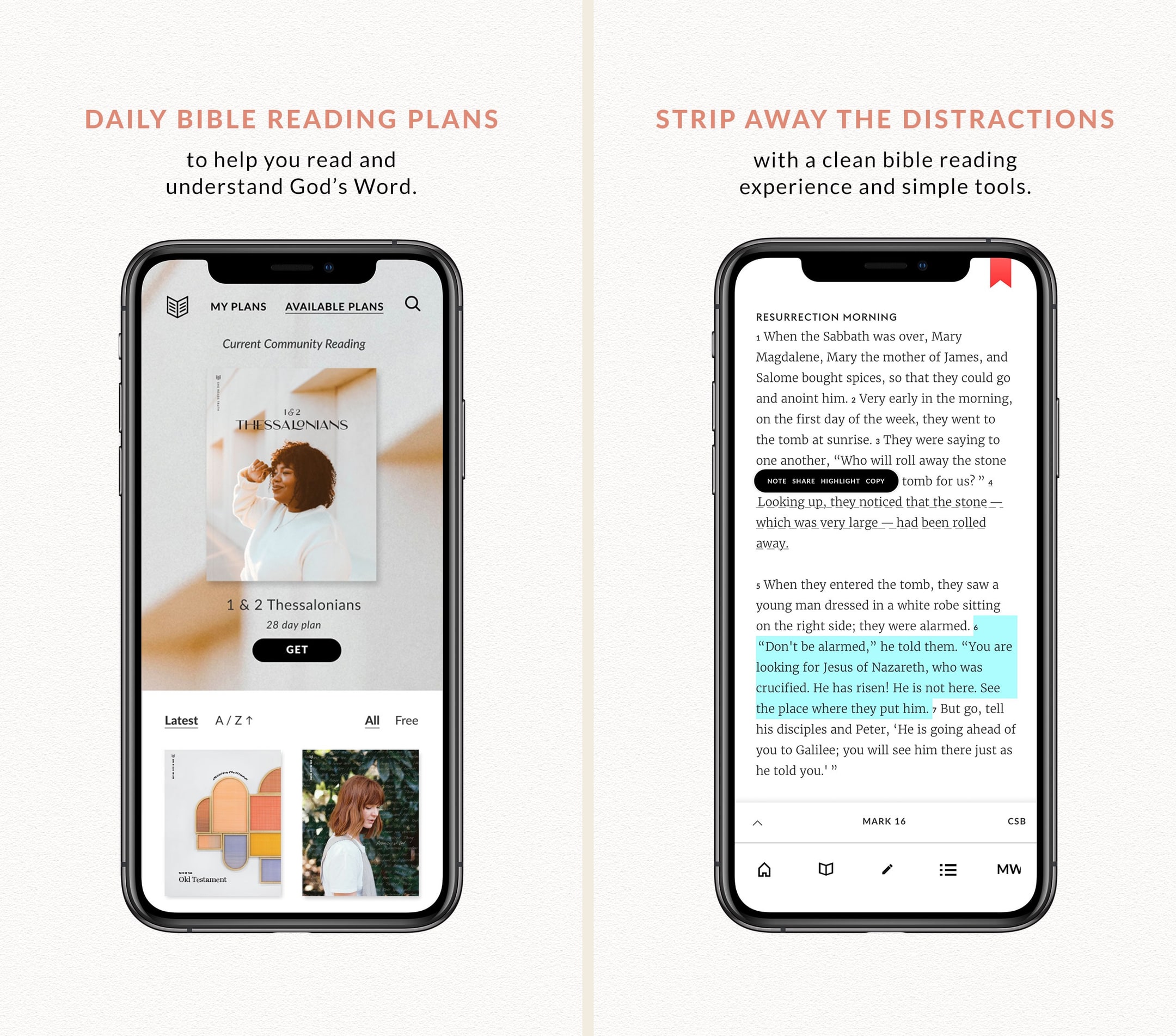
| 5 | She Reads Truth | 8.2/10 | 3.2(1.4K) | From $2.99/mo | Design-forward notes inside a plan-driven Bible app — for women who want to journal alongside daily plans rather than build a research notebook. |
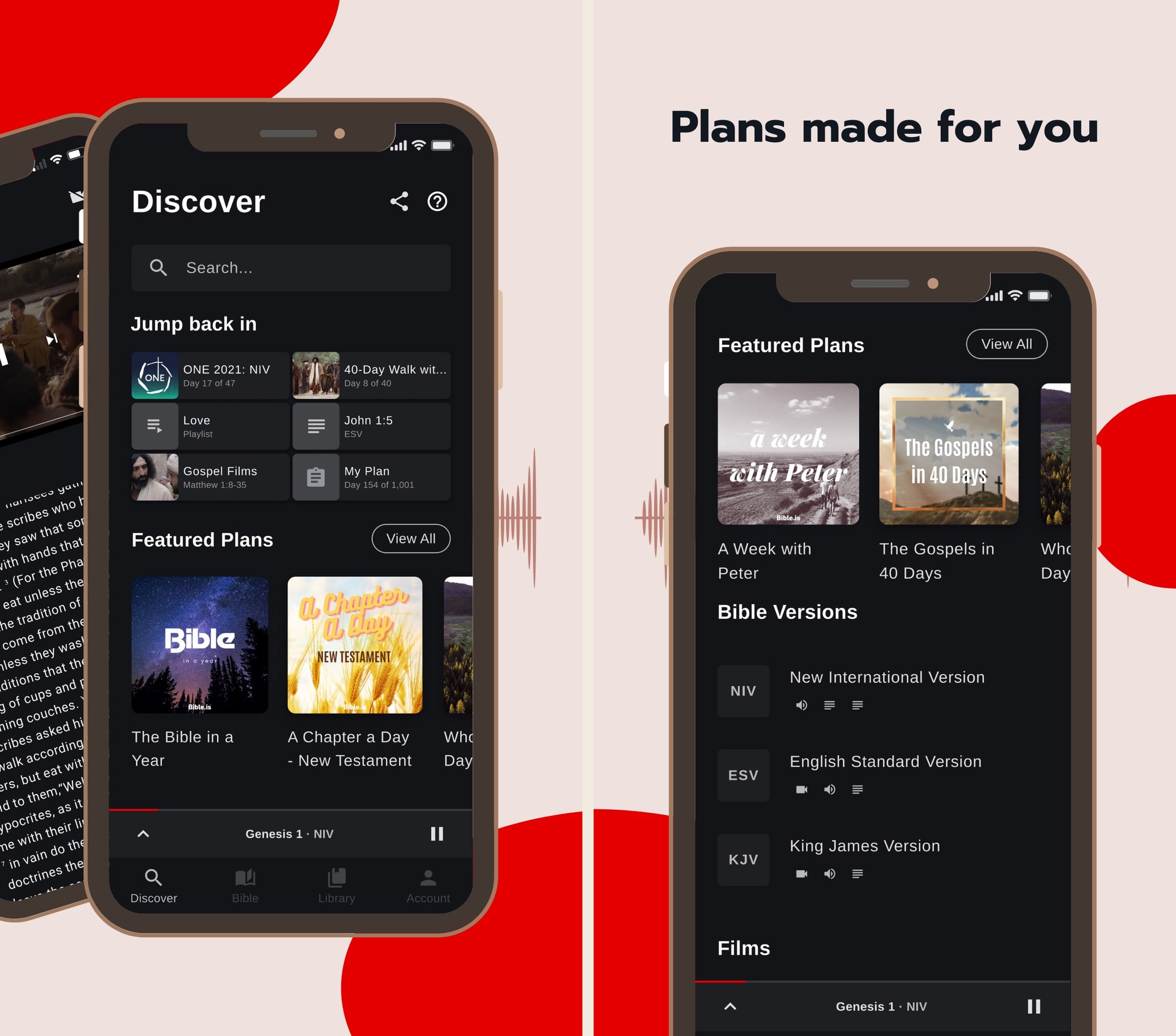
| 6 | Bible.is | 7.8/10 | 4.8(131K) | Free | Lightweight notes for audio-listeners who want a place to drop quick reflections on a passage they were listening to. |
Our picks, ranked
Pencil Bible
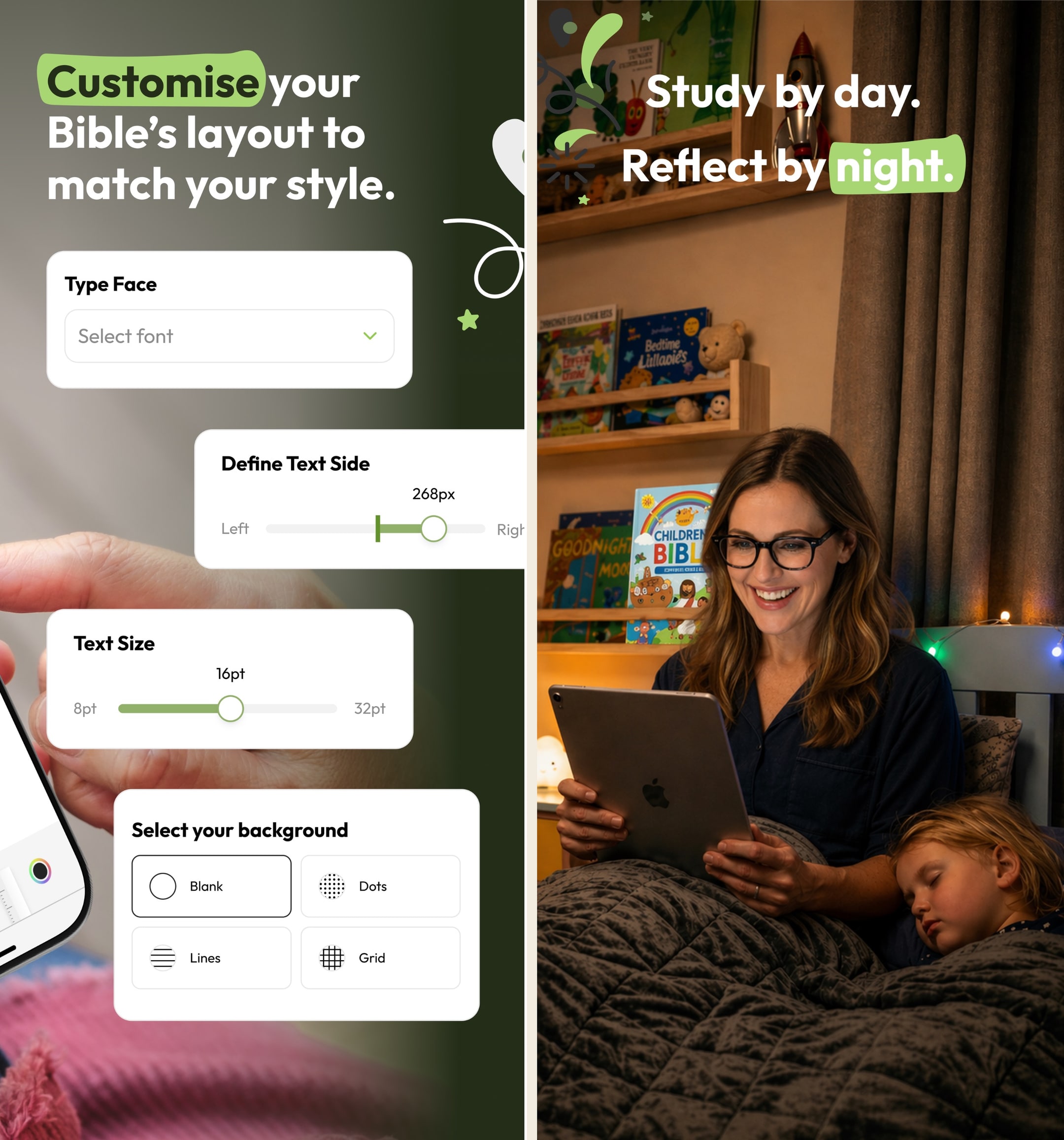
The only Bible app built around Apple Pencil annotation on iPad.
- Our score
- 7.9/10
- Platforms
- iOS, iPad
- Tradition
- Protestant, Catholic, Non-Denominational, Ecumenical
Pencil Bible is the kind of indie app the App Store does well — narrow, focused, and genuinely better than the big players at one specific thing. In hands-on testing on iPad with a Pencil, the annotation experience is the closest digital equivalent to writing in a paper Bible we've used. The page-spread layout, the ink feel, the ability to flip back through hand-marked passages — none of the bigger apps come close. The constraints are real: iOS-only, no audio, no plans. We pair it with YouVersion or Olive Tree for daily reading and use Pencil Bible as the study notebook on the iPad. For Apple Pencil users who study seriously, it's a no-brainer.
What we like
- The only Bible app built around Apple Pencil + PencilKit annotation — drawing on scripture with a real pen feel that no other Bible app gets close to.
- Page layout is designed for handwritten notes — wide margins, pageable spreads, and ink that feels like writing in a paper Bible rather than typing into a notes field.
- Indie-built and lean — no AI chat sprawl, no ad layer, just the annotation experience refined over multiple updates.
- Lifetime purchase at $59.99 is genuinely available, which is rare for indie apps and means no subscription treadmill for serious users.
- iCloud sync across iPad and iPhone is reliable — annotations made on iPad show up on iPhone in the same passage immediately.
What to know
- iOS-only (iPhone + iPad) — no Android, no Mac client, no web. Android note-takers have no equivalent product.
- No reading plans, no audio Bible, no devotional content — this is a pure annotation app, not a daily-reading app.
- Indie developer with a small team means feature velocity is slower than YouVersion or Olive Tree; bugs are usually fixed but slowly.
- Bible-translation library is smaller than mainstream apps — major versions are present but obscure translations may not be.
- Annual subscription at $24.99 is fine, but for a small indie app the lifetime tier is the better value if you'll use it for more than two years.
Best for
The only Bible app built around real Apple Pencil annotation — pageable spreads, ink that feels like writing in a paper Bible, lifetime purchase available, indie-built and lean.
Skip if
You're on Android, you don't have an Apple Pencil, or you want plans, audio, or community features.
Beautiful concepts, needs some tweaks to the Pencil support
I absolutely love this concept. I have always wanted some sort of digital bible with the ability to hand write your own notes into it, rather than type them in some hidden menu where they are hidden from view and hard to access/remember that you even took a note on that verse in the past. It always seemed clunky to me to use a digital bible and a physical notebook. Even with the addition of splitting the screen between two apps, it never felt natural to use a bible one one half of the screen and a note taking app on the other, especially because the note taking apps get squished so much they’re hard to use. The translation selection, while limited, does offer a good selection of translations and I see that there are several more on the way as well. I understand obtaining rights to use the text is hard, but what’s there already is a very good starting point. My one complaint with the app is when using the pencil, palm rejection is not great. I unfortunately noticed it right off of the bat when using the Bible in landscape mode. Resting my hand on the display to write will result in the pencil sometimes working, sometimes not, which makes taking notes in the margins more difficult. It seems to confuse some strokes with swipes and tries to scroll the screen, or it won’t write anything for a bit so I try again a couple times, it’ll flash everything I tried to write, then it disappears. Not sure if this is because I am using an older iPad and there’s more lag than the newer ones, but other apps with pencil support, like Penultimate, work just fine and I never have palm rejection issues. Hopefully this can get patched at some point, but until then I will definitely continue using this. It’s about time someone developed an app like this.
— durablecardboard · October 24, 2023
Logos Bible Study
The most powerful Bible study platform money can buy.
- Our score
- 8.8/10
- Platforms
- iOS, Android, iPad, Mac, Windows, Web
- Tradition
- Protestant, Catholic, Orthodox, Reformed, Baptist, Anglican, Lutheran, Methodist, Pentecostal, Non-Denominational, Ecumenical
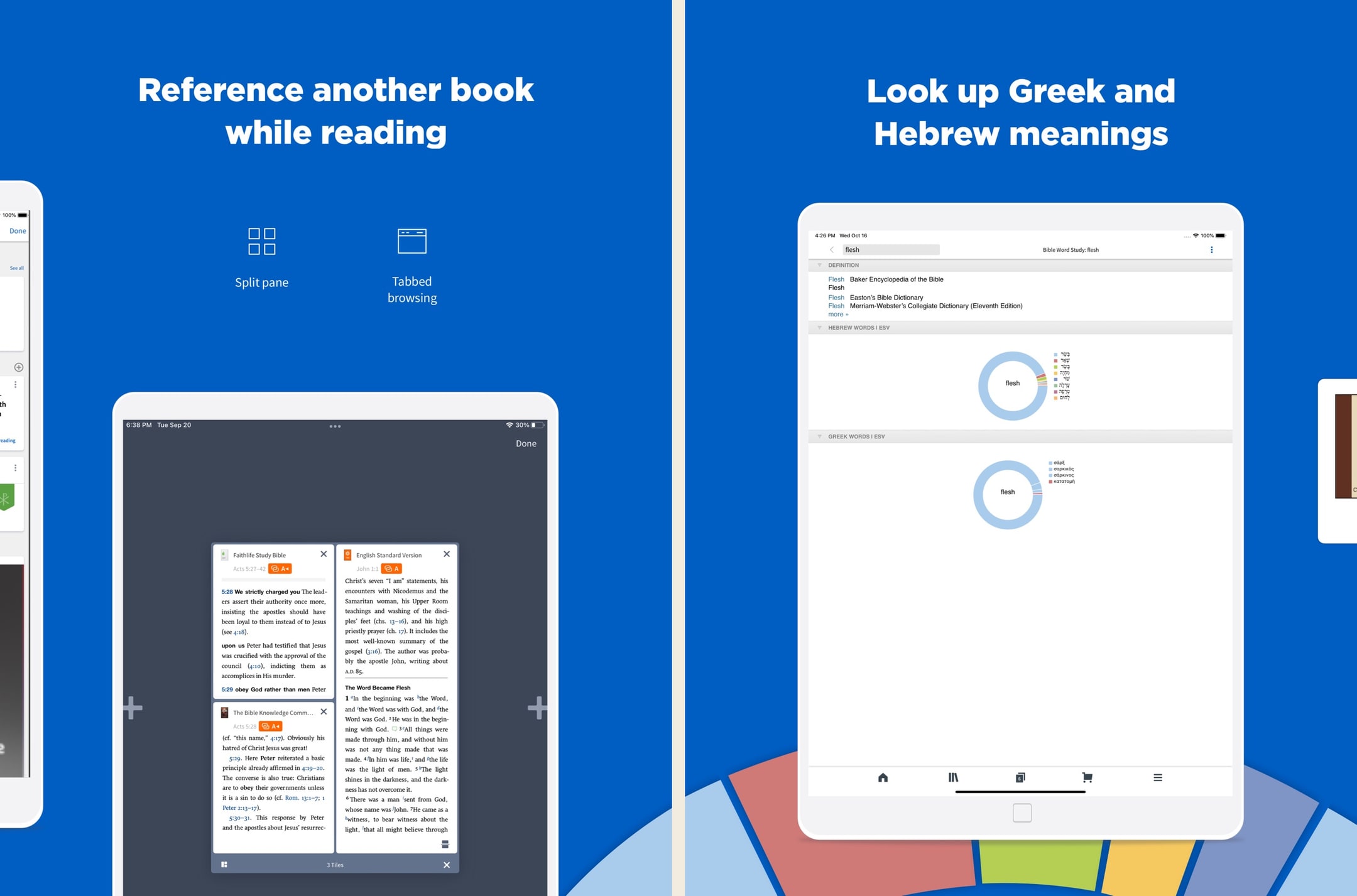
Logos is the most powerful Bible app we've used, full stop. In hands-on testing, the Passage Guide alone replaced about six tabs of cross-referencing we used to do manually. But the price tag, learning curve, and ecosystem sprawl are real — we'd never recommend Logos as a first Bible app. The new subscription tiers (Premium/Pro/Max) lower the on-ramp significantly versus the old base-package-only model, and Pro at ~$12.50/month annually is the sweet spot for most working pastors in 2026. For casual readers, this is still overkill.
What we like
- The Passage Guide and Factbook do in seconds what would take an hour with a stack of physical commentaries — this is still the killer feature.
- Original-language datasets are genuinely scholarly: morphological searches, syntax trees, semantic-domain searches, none of which exist in YouVersion or Olive Tree.
- Sermon Builder and the lectionary tools are legitimately useful weekly software for working pastors, not just a marketing checkbox.
- Resources you buy in base packages are yours permanently, even if you cancel a subscription — the ownership model still holds for purchased books.
- The mobile app has caught up to desktop in recent years — you can run a full Passage Guide on an iPhone, which used to be impossible.
What to know
- Pricing is genuinely confusing — base packages, subscription tiers, individual book purchases, and frequent sales make it hard to know what you actually need.
- Fastest path to a strong library still costs hundreds to low-thousands of dollars, even after the subscription tiers softened the on-ramp.
- The interface, on every platform, has a steep learning curve — most people use about 10% of what Logos can do.
- Mobile performance and load times can stutter on older phones once your library passes a few hundred resources.
- The Faithlife ecosystem (Sermons, Equip, Proclaim) is sprawling and the cross-product upsell is constant inside the app.
Best for
The strongest notebook-style notes for serious study — real notebooks with tags, search, passage anchoring, and cross-device sync from desktop to phone, integrated with the Logos library.
Skip if
You only want a quick highlight on a phone — Logos's notes are a serious-study feature and the rest of the app is built around that.
I love this app.
I have used many Bible apps and software and when by the grace of God I was led to the Logos web site, I was like a kid in a candy store with the permission to eat anything I wanted. I still keep the other Bible software but primarily I use Logos and the more resources you purchase the more powerful your Bible software becomes you only need to purchase what you need, I am just a lay person some of the packages I can't use at the present time. I think that any investment into The things concerning God is prosperous. To whom it may concern I hope anything that I say being just a lay person who is still reaping the benefits of what I don’t deserve which is to walk in the spirit of God and stumbling, falling and bouncing off the walls , if you will, and still reaching and walking after the perfection and that perfection being Christ. So this is my second time writing a review for this. I can barely find the words most glorious I don’t know powerful Bible software that I know to date many preachers use it so all I got to say is I hope I’m understood because I am not erudite and speech, but there are no lies coming out of my mouth, I just love LOGOS though when I found out about it so many books, I haven’t even read yet by the grace of God I’m gonna spend my life in his service and his word praise be to God, peace and spiritual prosperity to all who read this, I said the spirit of Godand the spirit does not stay with you always which is why we have to keep walking after pray for you. You know what I’m talking about. I’m saying I’m not saying God.
— Hldavis7455 · August 8, 2024
Olive Tree Bible
A serious study Bible that doesn't punish you for being free.
- Our score
- 8.5/10
- Platforms
- iOS, Android, iPad, Mac, Windows, Web
- Tradition
- Protestant, Ecumenical, Reformed, Baptist
Olive Tree is the app we keep recommending to people who outgrow YouVersion but aren't ready to spend Logos money. In our hands-on testing, the split-window view and real notebook were the features we missed most when we switched away. The store is a mess and the look is dated, but the bones are excellent. If you want one app that handles daily reading and serious study without forcing you onto a subscription treadmill, this is still the cleanest answer in 2026 — especially if you read across iPhone and a Mac.
What we like
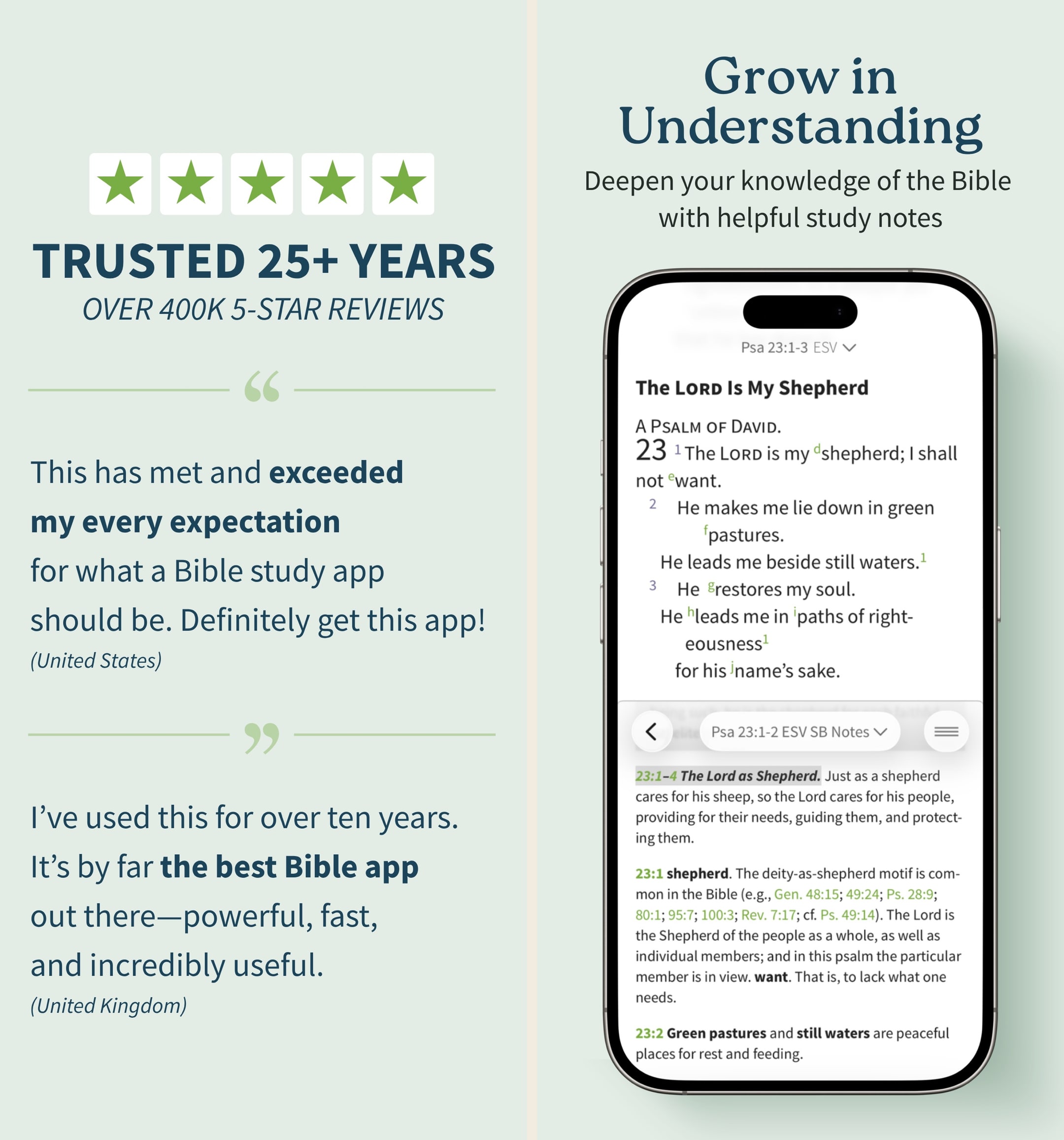
- Split-window reading lets you put two translations or a translation and a commentary side-by-side on a phone, which is the single best small-screen study feature on any Bible app.
- Notes are real notes — long-form, taggable, organized by passage, and they sync cleanly across iPhone, iPad, Mac, and Windows.
- You actually own resources you buy — perpetual licenses, no rug-pull when a subscription lapses, which still matters in 2026.
- Original-language tools (Strong's, interlinears, Greek/Hebrew lexicons) are genuinely usable for non-scholars who want to look up one word.
- The free tier is unusually generous — unlike Logos, you can do real study without ever paying a cent if you stick to free resources.
What to know
- The store is overwhelming — hundreds of resource bundles, frequent sales, and a UI that feels like a 2014 Bible bookstore.
- Premium study Bibles and major commentaries cost real money — building a serious library can run several hundred dollars even on sale.
- No groups, no social, no shared reading — this is a solo-study tool, not a community app.
- The mobile UI, while functional, looks dated next to YouVersion or Glorify; typography and spacing feel pre-iOS-17.
- Audio Bible options exist but are nowhere near as polished or dramatized as Dwell or Bible.is.
Best for
The most accessible serious notes — clean notebook system with passage anchoring, sync across devices, and a friendlier price point than Logos.
Skip if
You want the deepest possible notes-to-resource integration — Logos goes further on linking notes to your library.
God’s Word on the go!
I have used this particular Bible app. off and on for several years. I really enjoy this version of the Bible. The Bible itself is easily understood and user friendly. I would strongly recommend this wonderful book to any and all both Christian and novice alike. I intend to use it more often and try harder to absorb the words and their meanings each and every day. Probably the best approach would be to start a daily journal to better understand what I am reading. Many do not read the Bible I believe because some of the readings are hard to understand but this version is very user friendly as stated. So those reading these comments let me encourage you to take some time to read and pursue the Olive tree Bible version and see for yourself. Ask God to open your mind, heart and eyes in the pursuit of His truth and watch the blessings flow in your life. We are living in hard times so much doubt and fear surrounds us all. Many are looking for peace. The peace you look for can be found in God’s Word. Don’t believe me read for yourself. If you are looking for a true friend Look no further than God Himself. He loves you and cares very much for you and your family and friends. As a follower of Christ even though we have never met I love you as a bother and sister. My prayer is that God will open your eyes and heart to what He wants for you in this life. Never give up, keep reaching to the heavens and know your are loved beyond your comprehension. Blessings to all Rick
— a new begjnning · April 11, 2022
Accordance Bible Software
The Mac-first power user's Bible study platform.
- Our score
- 8.2/10
- Platforms
- iOS, Android, iPad, Mac, Windows
- Tradition
- Protestant, Catholic, Reformed, Baptist, Anglican, Lutheran, Methodist, Ecumenical
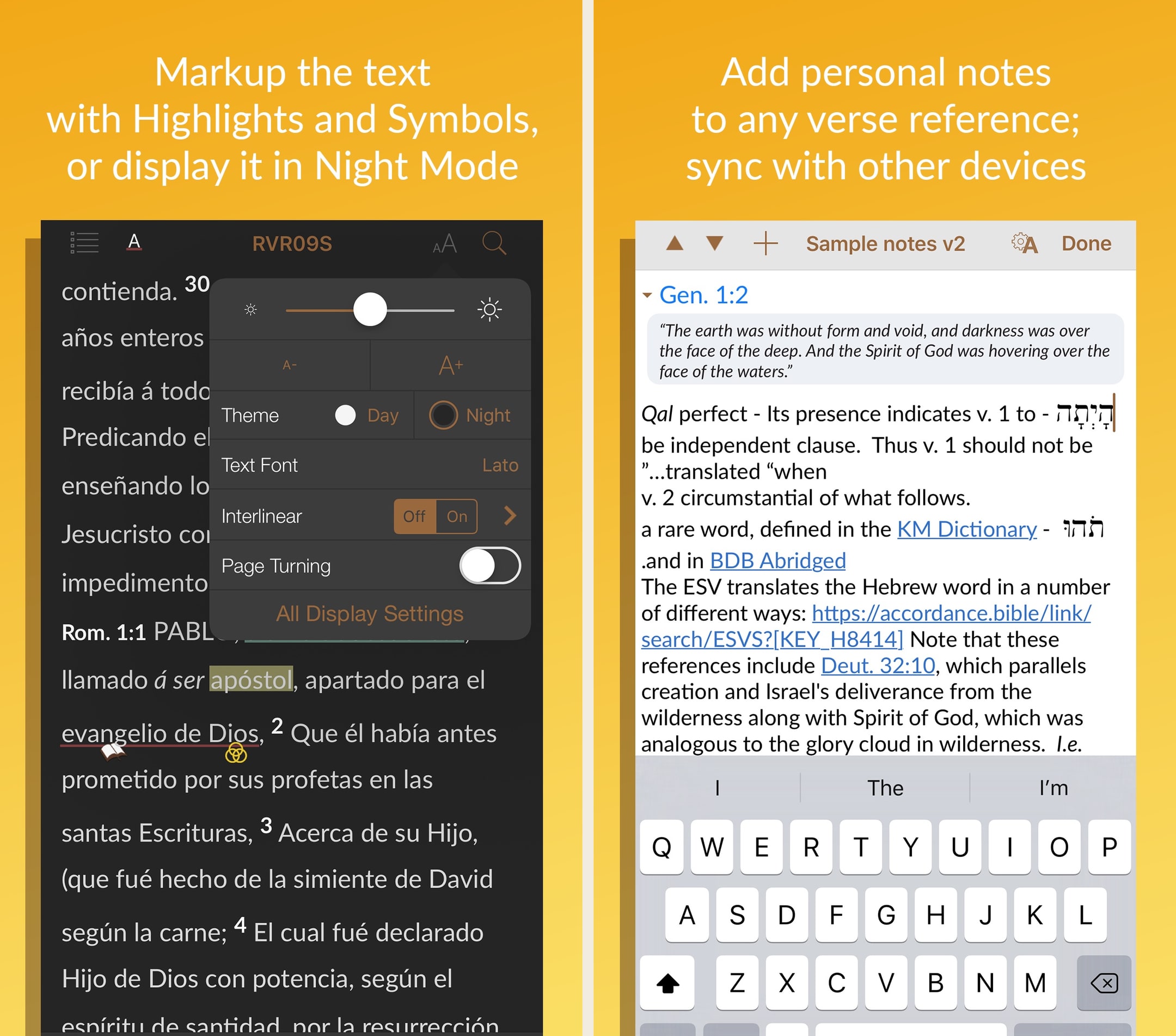
Accordance has been the quiet alternative to Logos for years, and on a Mac, it still holds up. In hands-on testing, search speed across a heavy library was visibly faster on Accordance than on Logos, and the cleaner UI matters for long study sessions. The mobile apps are noticeably thinner, which is the real tradeoff — if you live on your phone, this isn't your pick. But for Mac-using pastors and scholars who want a permanent library without a subscription, the $49 starter license plus targeted resource purchases is the most ownership-friendly path to a serious study setup in 2026.
What we like
- Mac performance is genuinely excellent — searches across a large library run faster than the equivalent in Logos, especially on Apple Silicon.
- One-time purchase / permanent license model means you actually own what you buy, with no subscription required to keep using your library.
- Original-language tools (Greek, Hebrew, Aramaic, Syriac) are research-grade — the app has a long history with biblical scholars and seminary use.
- $49 starter license is one of the cheapest paths to a real ownership-model study Bible platform, especially with the 90-day trial.
- Cleaner, less-cluttered interface than Logos for users who don't want a sprawling Faithlife ecosystem.
What to know
- Mobile apps are noticeably weaker than the Mac/Windows desktop experience — the iPhone/iPad app feels like a companion, not a full client.
- Resource catalog is smaller than Logos — some niche commentaries and academic resources just aren't available.
- Marketing site and store experience are dated, and the pricing across collections can be hard to parse without help.
- Smaller user base means a smaller community, fewer YouTube tutorials, and less third-party content than Logos.
- No subscription tier for users who'd rather rent a curated library than own one — every meaningful upgrade is a purchase.
Best for
Notes alongside the strongest original-language toolset — useful for serious exegetes who want to keep language-work notes anchored to specific passages.
Skip if
You want notes as the centerpiece — Accordance is language-first and the notes layer is functional rather than primary.
Great app, but a few user interface issues
Accordance is one of the best Bible study apps available, period. I use it regularly, both for personal reading and devotion, and in my studies and research. Version 3.4 has been much more stable than previous versions, however, I still run into user interface issues. For example, if I want to switch to a different book or resource while in reader view, I try to click in the top left corner, but 95% of the time, or more, it only brings up the instant details pop up or the verse tool. I have literally spent over 2 minutes just trying to change Bible books in the middle of sermon while trying to keep up with the teaching. If there is a gesture just for bringing up the resource selector, I am not aware of it. Also, the divider between the two text panes always changes position when switching between apps. I usually keep the divider halfway between my English and Hebrew/Greek texts. When I switch to my note taking app and then switch back, the divider has jumped to the ⅔ of the screen in English text and ⅓ in original language. That means every time I switch, I also have to reposition the divider. This is frustrating and should be easily fixed. As it is, sometimes, if I’m trying to take notes in the middle of a sermon or teaching, I don’t use Accordance, but use a simple Bible reader app, just because I get frustrated with the user interface issues. I hope OakTree Software takes care of this, because when Accordance works properly, it’s probably my favorite Bible app.
— j micah · May 27, 2023
She Reads Truth
The most-cited women's Bible app — design-forward, plan-driven, CSB-anchored.
- Our score
- 8.2/10
- Platforms
- iOS, Android, Web
- Tradition
- Protestant, Non-Denominational, Ecumenical
She Reads Truth is the women's Bible app that earns its position by quality, not just brand. In our hands-on testing the daily plan reading experience is the most polished in the category — typography that respects the text, clean layout, and content written for women without leaning on stereotypes. The free tier is generous enough that we wouldn't push anyone to Plus until they've used the app for a month. The misses are the same as most plan-first apps: no audio, no offline, and the Bible-reader chrome is a notch below YouVersion. If a daily plan-driven habit is what you want and you want it to feel like a designed object, this is the pick.
What we like
- The single most-cited women's Bible app across women-focused listicles in 2025–2026 — there is no real competitor at this brand depth.
- Plans are written by and for women in a way that doesn't feel patronizing — book-by-book Scripture teaching, not generic pink-themed devotionals.
- Typography and visual design are genuinely beautiful — reading the daily plan feels like opening a designed book, not a generic app screen.
- CSB-anchored translation library with plenty of cross-translation support; the Bible reader inside the app is competent.
- Printed study book companions extend the digital plan into a physical artifact families and friend groups can use together.
What to know
- Plus tier at $79.99/year is on the steep end for what's effectively a curated reading-plan archive plus PDFs.
- No audio Bible inside the app — devotional content has some audio, but the Bible text itself is read-only.
- Discovery in the Bible reader is weaker than YouVersion or Olive Tree — Cross-references and search are usable but not central.
- Community comments on plans are lightly moderated; for some readers it's connection, for others it's noise.
- No offline mode — plans require a connection, which is a real gap for travelers and commuters.
Best for
Design-forward notes inside a plan-driven Bible app — for women who want to journal alongside daily plans rather than build a research notebook.
Skip if
You want notebook-style organization with tags and search — She Reads Truth's notes are journal-style, not notebook-style.
I do not like the new app
Edit: some bugs seem to be worked out. The content and presentation of SRT continue to be INCREDIBLE. Still don’t prefer the new app, but it’s better than when it was first rolled out. I love She Reads Truth and have had the app and plans for 3 years now. I am very disappointed with the app overhaul and update. It is very difficult to use the app. It’s constantly buggy. It never has my previous day’s reading correct. I really liked in the old app that there was a place to jump straight to the current day’s reading. If there’s a way to do that from the home page of the app, it’s not obvious to me. I also hate that my plans are listed in alphabetical order instead of most recently opened. That’s not helpful. At least give me an easy way to toggle between views so I can use the one most helpful to me. I also cannot stand that now, after I click “read” after reading the scripture passage, it doesn’t stay marked “read.” If I go back to the verses after looking at the devo, it will unmark the reading as read for me. That’s so frustrating. Why was so much functionality removed and changed from the old app? What is the reason for it? Again. I love the content of SRT. I love the studies. I love the aesthetic (though not so much of this new app—it’s too harsh for me—but if that’s what you want then it’s fine). It’s very confusing to me why the app was changed so much, taking away good functionality and maneuvering.
— HLynneSims · October 8, 2018
Bible.is
Dramatized audio Bible in 2,600+ languages, free.
- Our score
- 7.8/10
- Pricing
- Free
- Platforms
- iOS, Android, iPad, Kindle Fire, Web
- Tradition
- Protestant, Catholic, Ecumenical
Bible.is is the audio Bible we recommend when someone says they don't read well or wants to listen in the car. In hands-on use, the dramatized audio quality is genuinely a step up from the flat narration most apps default to — you can hear the difference within thirty seconds. The text experience is fine but secondary; we treat this as an audio-first app and pair it with YouVersion or Olive Tree for reading. For multilingual families or anyone serving overseas, the language breadth makes this nearly impossible to beat in 2026.
What we like
- Dramatized audio with multiple voice actors and ambient sound is genuinely better than the read-aloud audio in most other Bible apps — closer to a great audiobook than a flat narration.
- Language coverage is unmatched: 2,600+ audio languages, with new releases every month, which makes this the default Bible app for missions and global use.
- Offline downloads work cleanly — download a New Testament in your language and you can listen on a plane in airplane mode.
- Gospel films library (1,700+ languages) is a quietly excellent resource for evangelism and family use.
- Donor-funded ministry, so there's no premium tier and no ads cluttering the experience.
What to know
- English-translation library is narrower than YouVersion — strong on the audio versions FCBH has produced, lighter on text-only modern translations.
- Study tools are essentially absent — no commentaries, no original languages, no cross-references.
- The notes/highlight system is basic and not as polished as YouVersion's or Olive Tree's.
- UI hasn't kept up with the slicker apps — functional, but visually it shows its age.
- Search across the audio Bible is workable but not as fast or fuzzy as text-only search elsewhere.
Best for
Lightweight notes for audio-listeners who want a place to drop quick reflections on a passage they were listening to.
Skip if
You want a real note-taking system — Bible.is is audio-first and the notes feature is minimal.
Phenomenal app, except this 3.0.5 version
This app is phenomenal and has gotten me so much further in the Bible than I have ever gotten before just in the past 2-3 weeks. I am not much of a reader and when I try to read, I fall asleep, and I wanna continue to dive deep into the Word, and these dramatized audio books help me to do just that. Everything was going well with the simple layout and pretty quick Bible book downloads for offline usage as well. However, when this new update came out and I updated the app, it deleted all of my downloads and now I had to make an account. Also it takes 3 times as long to download all the books and chapters and the app keep glitching where if I pause in the middle of a chapter, any of them, and maybe go to another app, and then come back to it, even a few seconds later, it buffers FOREVER. It doesn’t play until I use the skip button to go either forward or backward and then back to where I was. Also, every time I close the app, I have to log back in instead of it just automatically having me logged in. It’s a bit too many downfalls for a bunch of extra stuff. And the new layout (not including the extra features like the videos and bible plans, etc.) unfortunately is not as good as the old one. The old one was simpler and easier to utilize and faster. This one is a lot slower and has more defects unfortunately. That’s for version 3.0.5 by the way. It’s currently April 22,2020. I downloaded the app about a month ago or so.
— xSupernovax · April 22, 2020
Warmpeach — coming soon
A Bible chat app — pastor and therapist in one.
Warmpeach is a Bible chat app that blends a pastor's care with a therapist's questions, grounding every reply in scripture. Join the waitlist and we'll email you when it opens up.
Verdict
Warmpeach — coming soon
Join the Bible chat app waitlist
Who this guide is for
This guide is for readers who want a Bible app where note-taking is a real feature — searchable, organized, passage-anchored, and retrievable months later. We are interested in apps that support a sustained note-taking practice. We are less interested in apps that label a beefier highlighter as 'notes' and assume readers will not notice the difference.
If you came here for a one-app answer, install Logos. The notes feature is the strongest in the category and the rest of the app is built to integrate with your notes.¹ The runner-up is Olive Tree at a friendlier price.² We will be direct about which apps have weak notes — YouVersion in particular — because honesty matters more than universal-friendliness here.³
How we evaluated
We tested with sustained note-taking workflows in mind — months of real notes, search across them, retrieval six weeks later, and sync across devices. We tracked passage anchoring, tag and notebook organization, and how easy or hard it was to find a specific note we had written earlier in the test period.
A few things we paid extra attention to. First, search across notes, since notes you cannot find are notes that do not exist. Second, passage anchoring, since the most useful note-taking workflow ties notes to verses you can return to. Third, cross-device sync, since note-taking often happens across phone, tablet, and laptop in a single workflow. Fourth, Apple Pencil and stylus support for tablet users who want marginalia alongside text notes.
We also paid attention to the export question. If you leave a Bible app or want to use your notes outside it, can you actually get them out in a usable format? This is one of the underrated criteria for serious note-takers and the apps differ widely on this.
Key tradeoffs on Bible apps for note-taking
Highlight-grade vs note-grade
The biggest split in this category is between apps where 'notes' are really beefier highlights (YouVersion, Bible.is) and apps where notes are a real notebook system (Logos, Olive Tree, Accordance).³⁴¹²⁵ Casual readers often think they want note-taking and are actually looking for highlights; readers who want real notes need a different app. The honest first step is to figure out which you actually want. If you are tapping 'note' to drop a sentence and move on, a highlight-grade app is fine. If you are writing reflections you want to find six months later, you need a note-grade app.
Search across notes
Notes you cannot find are notes that do not exist. Logos has the strongest search across notes — phrase search, tag search, and filtering by passage or notebook.¹ Olive Tree's search is solid.² Accordance's search works.⁵ YouVersion's search across your own notes is genuinely weak; finding a note you wrote six months ago is harder than it should be.³ For serious note-takers, search quality is one of the most important criteria in this category.
Passage anchoring
The most useful note-taking workflow in a Bible app ties notes to specific verses. Open Romans 8 a year from now, see all your notes from the past on that passage. Logos and Olive Tree both do this well.¹² Accordance does it.⁵ YouVersion technically anchors notes to verses but the retrieval flow is harder.³ Apps without strong passage anchoring lose the most distinctive value of Bible-app note-taking compared to a generic notes app.
Cross-device sync
Note-taking often spans devices — quick anchored notes on a phone, longer reflections on a laptop, marginalia on an iPad with Pencil. The apps that handle this well (Logos, Olive Tree) sync notes cleanly across all devices.¹² Accordance syncs notes.⁵ YouVersion syncs but the notes are less central to the app, so the sync matters less.³ For sustained note-taking practice, cross-device sync is one of the criteria worth weighting heavily.
Apple Pencil for marginalia
Pencil annotation is the iPad-specific note-taking feature that genuinely changes how Bible-app notes feel. Logos is the gold standard — pressure-sensitive marginalia that sync to other devices.¹ Olive Tree is solid.² Accordance is functional.⁵ YouVersion does not meaningfully use the Pencil.³ For tablet-based serious note-taking, Logos plus a Pencil is the strongest workflow we have used.
Export and ownership
If you leave a Bible app or want your notes elsewhere, can you actually get them out? Logos has clean export.¹ Olive Tree exports.² Accordance exports.⁵ YouVersion's notes are harder to export at scale.³ For serious note-takers, the question of long-term note ownership matters — and the apps differ enough that this is worth thinking about before committing to a multi-year note-taking practice inside any one app.
What we did not test
We did not separately test Bible-adjacent journaling apps that are not also Bible apps. We did not test note-taking workflows that involve writing notes in a separate app (Obsidian, Notion, Apple Notes) and linking back to scripture; that is a valid workflow but lives outside this category. We also did not weight App Store rating averages heavily, since note-taking is a use case the rating curves do not really speak to. The ranking reflects what genuinely supported sustained note-taking practice during real testing across months and devices.
Sources
-
Logos Bible Study — App Store listing (notebook system, sync, Apple Pencil, export). Accessed 2026-05-11. https://apps.apple.com/us/app/logos-deep-bible-study/id336400266
-
Olive Tree Bible — App Store listing (notebook, passage anchoring, sync, export). Accessed 2026-05-11. https://apps.apple.com/us/app/bible-app-by-olive-tree/id332615624
-
YouVersion Bible — App Store listing (notes/highlight feature). Accessed 2026-05-11. https://apps.apple.com/us/app/bible/id282935706
-
Bible.is — App Store listing (free, audio-focused, basic highlighting). Accessed 2026-05-11. https://apps.apple.com/us/app/bible-audio-video-bibles/id378075859
-
Accordance Bible Software — App Store listing (notes, search, export). Accessed 2026-05-11. https://apps.apple.com/us/app/accordance-bible-software/id411970514
Honest about YouVersion
We have to be direct here. YouVersion is the best general daily-reading Bible app and we recommend it confidently across nearly every other hub. For note-taking specifically, the feature is genuinely weak. Quick share-to-feed reflections work fine. Sustained note-taking that you can find again later does not. If note-taking matters to you, do not pick YouVersion as your note-taking app — use it for daily reading and use Logos or Olive Tree for notes. This is the most honest answer we can give.