
Best Bible Apps for Kindle Fire in 2026
By Sankalp Jonna · Last reviewed 2026-05 · 4 apps reviewed
How we tested
Every app here was installed and used personally. We capture raw findings — typed notes, screenshots, screen recordings, voice memos — and the writing is AI-assisted from those raw notes. Scores, rankings, and "best for / skip if" calls reflect our actual experience with each app. Read the full methodology →
How we evaluated apps for Kindle Fire
Every app on this list was scored against the same 5 criteria. Hands-on testing, AI-assisted writing.
Real Amazon Appstore build
Whether the app is actually published to the Amazon Appstore and updated, not just a stale version someone uploaded years ago.
Account sync without Google Play Services
Whether your reading progress, notes, and highlights actually sync on Fire OS, where most apps quietly depend on Google services that do not exist on this device.
Offline downloads
Whether you can download translations and audio for offline use, since Fire tablets are often used away from Wi-Fi.
Performance on older hardware
Whether the app runs acceptably on a Fire 7 or older HD 8, which is the device most readers in this category actually own.
Honest pricing
Whether the in-app purchase flow works through Amazon's billing on Fire OS, since several apps that take payment on iOS or Play Store do not on Fire.
Comparison at a glance
The full ranked list with our score, pricing, and the buyer profile each app fits.
| # | App | Score | Users | Pricing | Best for |
|---|---|---|---|---|---|
| 1 | YouVersion Bible | 9.2/10 | 4.9(13M) | Free | The default Bible app on Kindle Fire — fully free, ad-free, with a current Amazon Appstore build, working sync, and reliable offline downloads. |
| 2 | Olive Tree Bible | 8.5/10 | 4.8(314K) | From $2.99/mo | The strongest study-leaning option that actually runs on Kindle Fire — generous free tier, split-window reading, dependable offline mode. |
| 3 | Bible.is | 7.8/10 | 4.8(131K) | Free | The audio Bible for Kindle Fire — multilingual, free, and cleanly downloadable for offline listening on a tablet you carry on a trip. |
| 4 | Superbook Kids Bible | 7.8/10 | 4.8(18K) | Free | Animated Superbook episodes for ages 6–10 on a Fire HD — 68 full-length episodes, free, with a working Amazon Appstore build. |
Our picks, ranked
YouVersion Bible
The free Bible app most people open first.
- Our score
- 9.2/10
- Pricing
- Free
- Platforms
- iOS, Android, Web, iPad, Apple Watch
- Tradition
- Protestant, Catholic, Ecumenical
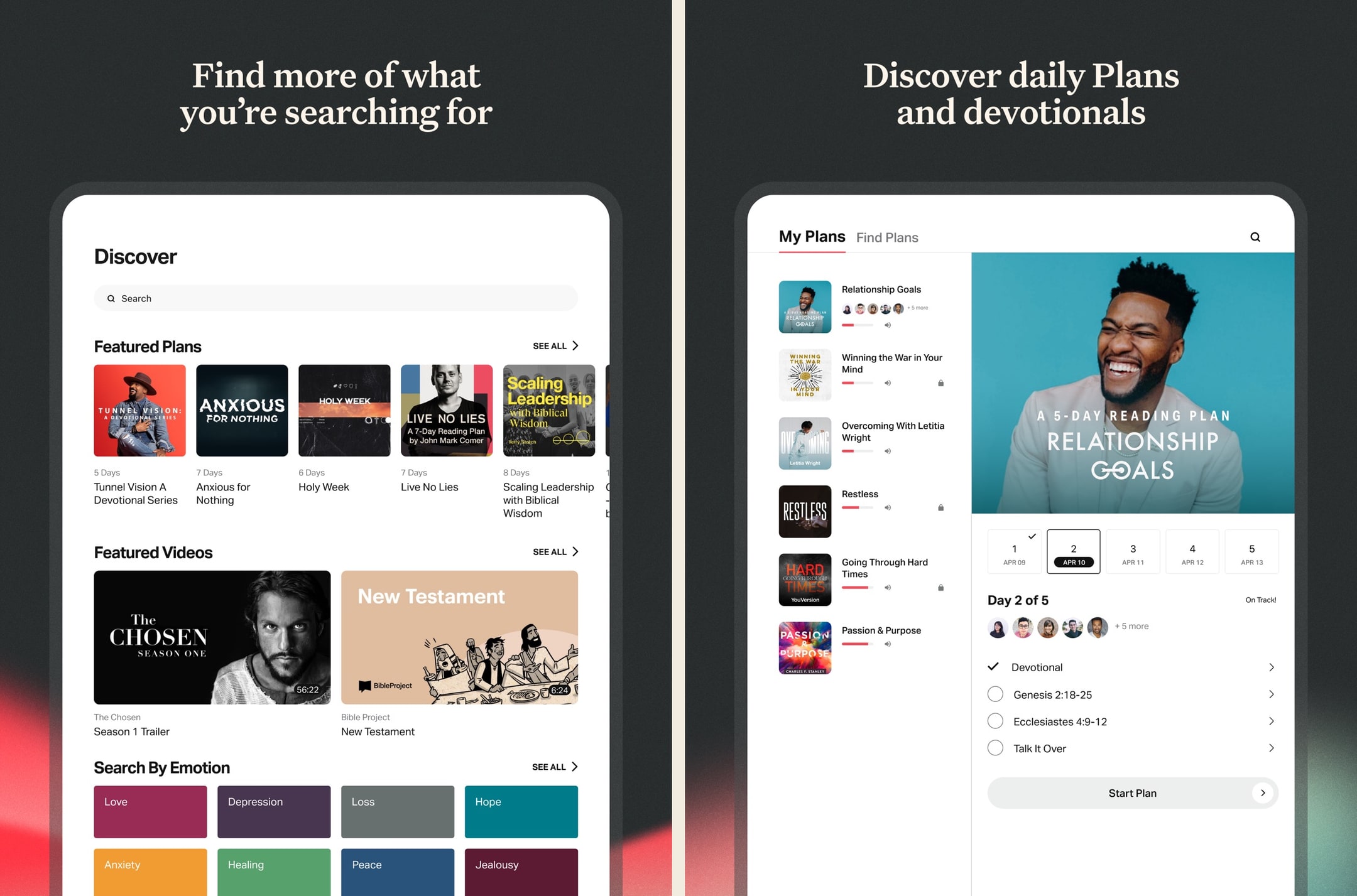
We've used YouVersion daily over an extended stretch and it's still the default for a reason: free, frictionless, and good enough for 80% of what most readers want. The reading plans alone keep us coming back, and the Apple Watch + widget integrations turn opening scripture into a one-tap habit. But the moment we wanted to do real study — cross-references, commentary, original Greek — we hit a wall and reached for a different app. As a primary daily-reading Bible, it's still the one to beat in 2026.
What we like
- By far the largest free Bible-reading app — 2,500+ translations including pretty much every English version anyone reads.
- Reading plans library is enormous and well-curated, ranging from 3-day devotional plans to year-long Bible-in-a-year tracks.
- Genuinely free with no ads, no paywalls, no premium tier hiding key features behind a subscription.
- Solid offline support — download translations locally and use them on a plane or in low-signal areas without losing functionality.
- Bible Lens / verse images make sharing scripture in iMessage and social posts effortless, which is a quiet but real driver of daily use.
What to know
- Study tools are thin — there's no commentary integration, no original-language word study, no concordance worth using.
- Notes feature is closer to a verse highlighter than a real notebook — you can't write longer reflections that anyone will ever go back and find.
- Search across your own highlights and notes is weak; finding a verse you saved six months ago is harder than it should be.
- Some reading plans are openly evangelistic about Life.Church positions, which won't bother most users but lands awkwardly for Catholic, Orthodox, or denominationally-cautious readers.
- App is feature-sprawling — every release adds something, and the home screen has slowly become a content feed instead of a Bible.
Best for
The default Bible app on Kindle Fire — fully free, ad-free, with a current Amazon Appstore build, working sync, and reliable offline downloads.
Skip if
You want serious study tools — those simply do not exist in any meaningful form on Fire OS.
Enjoyable but a Few Considerations
I like to use the app to listen to the Scriptures. It is pretty to easy to use and so far on my end there were not glitches or issues. The app has a lot of different English versions to choose from as well I did notice that one can choose from many different languages. There are a variety of reading plans to choose from. One can select plans that are topical, reading plans, or based on length. For motivation there are verses of the day, guided Scriptures, and guided prayers. A remind notification can be setup. The app allows users to create a community by adding friends and family through Facebook or Contacts. Another feature is that the app allows for the notes and highlights. Please note that these items do not carry over from translation or language version. The app has an internal reward system through an achievement system. For example, completing a reading plan regardless of length. To help incentivize those who are multi language speakers I would like see achievements related to readings completed in different languages. To help incentivize multiple translations I would recommend adding achievements related to how many different translations a user read. Finally, I would like to see statistics on which chapters were read because sometimes a user will get a whole Bible reading plan completed twice within a plan because certain plans reuse certain passages. This will help those who want to have a nice clean progress between plans.
— Kolya290 · September 12, 2025
Olive Tree Bible
A serious study Bible that doesn't punish you for being free.
- Our score
- 8.5/10
- Platforms
- iOS, Android, iPad, Mac, Windows, Web
- Tradition
- Protestant, Ecumenical, Reformed, Baptist
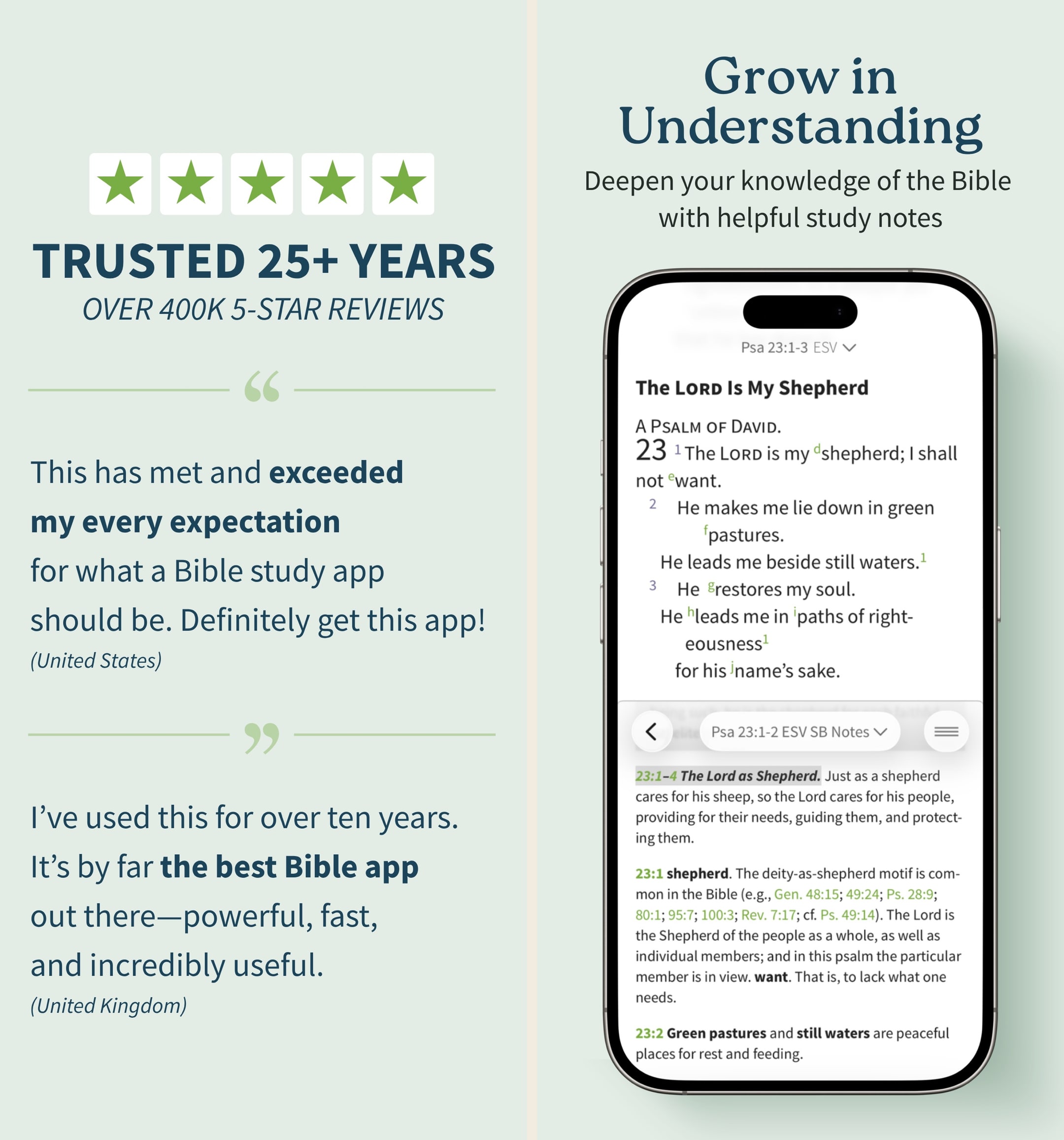
Olive Tree is the app we keep recommending to people who outgrow YouVersion but aren't ready to spend Logos money. In our hands-on testing, the split-window view and real notebook were the features we missed most when we switched away. The store is a mess and the look is dated, but the bones are excellent. If you want one app that handles daily reading and serious study without forcing you onto a subscription treadmill, this is still the cleanest answer in 2026 — especially if you read across iPhone and a Mac.
What we like
- Split-window reading lets you put two translations or a translation and a commentary side-by-side on a phone, which is the single best small-screen study feature on any Bible app.
- Notes are real notes — long-form, taggable, organized by passage, and they sync cleanly across iPhone, iPad, Mac, and Windows.
- You actually own resources you buy — perpetual licenses, no rug-pull when a subscription lapses, which still matters in 2026.
- Original-language tools (Strong's, interlinears, Greek/Hebrew lexicons) are genuinely usable for non-scholars who want to look up one word.
- The free tier is unusually generous — unlike Logos, you can do real study without ever paying a cent if you stick to free resources.
What to know
- The store is overwhelming — hundreds of resource bundles, frequent sales, and a UI that feels like a 2014 Bible bookstore.
- Premium study Bibles and major commentaries cost real money — building a serious library can run several hundred dollars even on sale.
- No groups, no social, no shared reading — this is a solo-study tool, not a community app.
- The mobile UI, while functional, looks dated next to YouVersion or Glorify; typography and spacing feel pre-iOS-17.
- Audio Bible options exist but are nowhere near as polished or dramatized as Dwell or Bible.is.
Best for
The strongest study-leaning option that actually runs on Kindle Fire — generous free tier, split-window reading, dependable offline mode.
Skip if
You expect Olive Tree Plus and full library purchases to work as smoothly on Fire as they do on iPad — they do, but the resource catalog navigation is rougher on Fire OS.
God’s Word on the go!
I have used this particular Bible app. off and on for several years. I really enjoy this version of the Bible. The Bible itself is easily understood and user friendly. I would strongly recommend this wonderful book to any and all both Christian and novice alike. I intend to use it more often and try harder to absorb the words and their meanings each and every day. Probably the best approach would be to start a daily journal to better understand what I am reading. Many do not read the Bible I believe because some of the readings are hard to understand but this version is very user friendly as stated. So those reading these comments let me encourage you to take some time to read and pursue the Olive tree Bible version and see for yourself. Ask God to open your mind, heart and eyes in the pursuit of His truth and watch the blessings flow in your life. We are living in hard times so much doubt and fear surrounds us all. Many are looking for peace. The peace you look for can be found in God’s Word. Don’t believe me read for yourself. If you are looking for a true friend Look no further than God Himself. He loves you and cares very much for you and your family and friends. As a follower of Christ even though we have never met I love you as a bother and sister. My prayer is that God will open your eyes and heart to what He wants for you in this life. Never give up, keep reaching to the heavens and know your are loved beyond your comprehension. Blessings to all Rick
— a new begjnning · April 11, 2022
Bible.is
Dramatized audio Bible in 2,600+ languages, free.
- Our score
- 7.8/10
- Pricing
- Free
- Platforms
- iOS, Android, iPad, Kindle Fire, Web
- Tradition
- Protestant, Catholic, Ecumenical
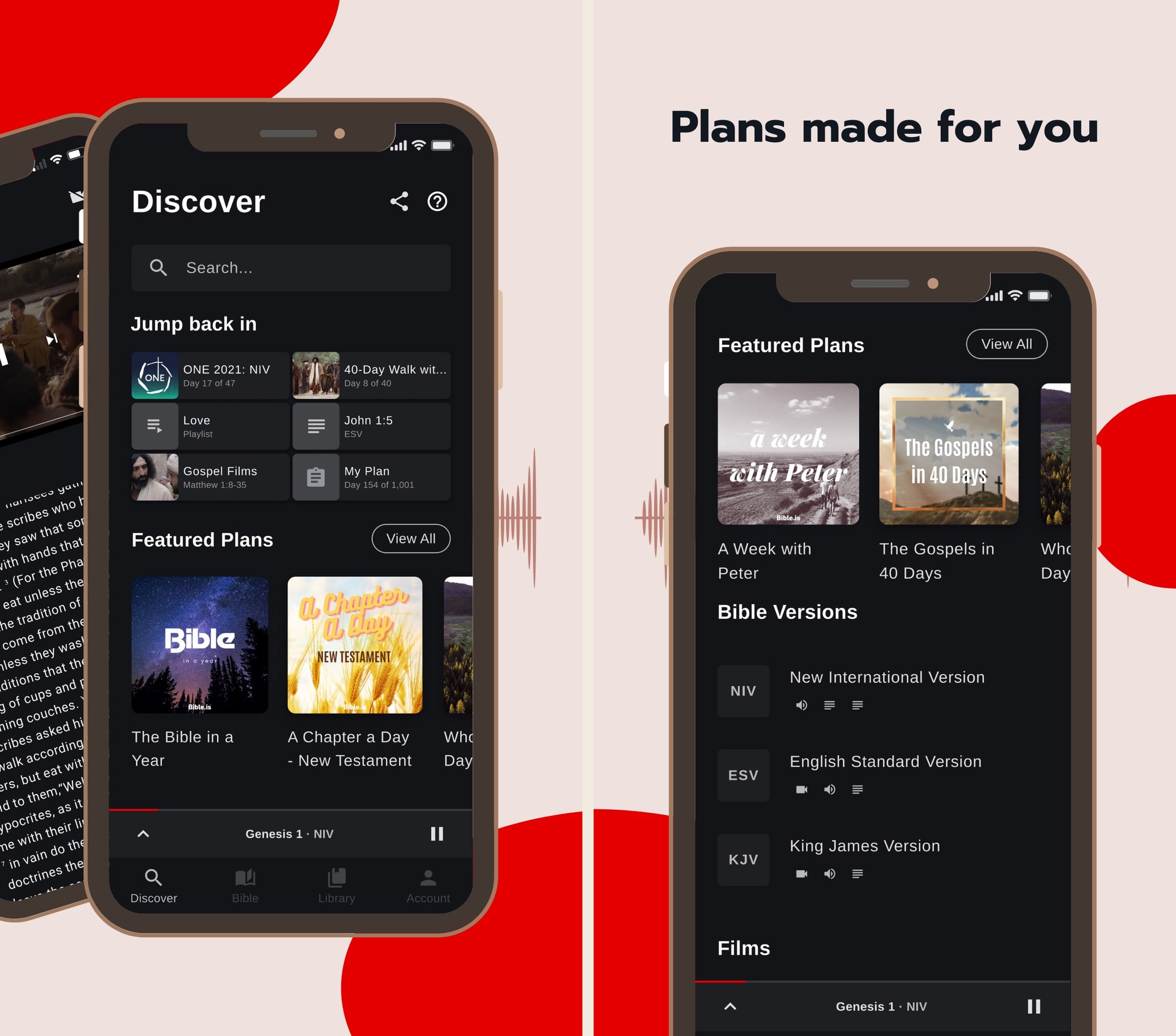
Bible.is is the audio Bible we recommend when someone says they don't read well or wants to listen in the car. In hands-on use, the dramatized audio quality is genuinely a step up from the flat narration most apps default to — you can hear the difference within thirty seconds. The text experience is fine but secondary; we treat this as an audio-first app and pair it with YouVersion or Olive Tree for reading. For multilingual families or anyone serving overseas, the language breadth makes this nearly impossible to beat in 2026.
What we like
- Dramatized audio with multiple voice actors and ambient sound is genuinely better than the read-aloud audio in most other Bible apps — closer to a great audiobook than a flat narration.
- Language coverage is unmatched: 2,600+ audio languages, with new releases every month, which makes this the default Bible app for missions and global use.
- Offline downloads work cleanly — download a New Testament in your language and you can listen on a plane in airplane mode.
- Gospel films library (1,700+ languages) is a quietly excellent resource for evangelism and family use.
- Donor-funded ministry, so there's no premium tier and no ads cluttering the experience.
What to know
- English-translation library is narrower than YouVersion — strong on the audio versions FCBH has produced, lighter on text-only modern translations.
- Study tools are essentially absent — no commentaries, no original languages, no cross-references.
- The notes/highlight system is basic and not as polished as YouVersion's or Olive Tree's.
- UI hasn't kept up with the slicker apps — functional, but visually it shows its age.
- Search across the audio Bible is workable but not as fast or fuzzy as text-only search elsewhere.
Best for
The audio Bible for Kindle Fire — multilingual, free, and cleanly downloadable for offline listening on a tablet you carry on a trip.
Skip if
You want polished UI and modern Fire OS design — the app works but looks dated on a current Fire HD.
Phenomenal app, except this 3.0.5 version
This app is phenomenal and has gotten me so much further in the Bible than I have ever gotten before just in the past 2-3 weeks. I am not much of a reader and when I try to read, I fall asleep, and I wanna continue to dive deep into the Word, and these dramatized audio books help me to do just that. Everything was going well with the simple layout and pretty quick Bible book downloads for offline usage as well. However, when this new update came out and I updated the app, it deleted all of my downloads and now I had to make an account. Also it takes 3 times as long to download all the books and chapters and the app keep glitching where if I pause in the middle of a chapter, any of them, and maybe go to another app, and then come back to it, even a few seconds later, it buffers FOREVER. It doesn’t play until I use the skip button to go either forward or backward and then back to where I was. Also, every time I close the app, I have to log back in instead of it just automatically having me logged in. It’s a bit too many downfalls for a bunch of extra stuff. And the new layout (not including the extra features like the videos and bible plans, etc.) unfortunately is not as good as the old one. The old one was simpler and easier to utilize and faster. This one is a lot slower and has more defects unfortunately. That’s for version 3.0.5 by the way. It’s currently April 22,2020. I downloaded the app about a month ago or so.
— xSupernovax · April 22, 2020
Superbook Kids Bible
Animated CBN Bible episodes plus games and topic-based content for kids.
- Our score
- 7.8/10
- Pricing
- Free
- Platforms
- iOS, Android, iPad, Kindle Fire
- Tradition
- Protestant, Non-Denominational, Ecumenical
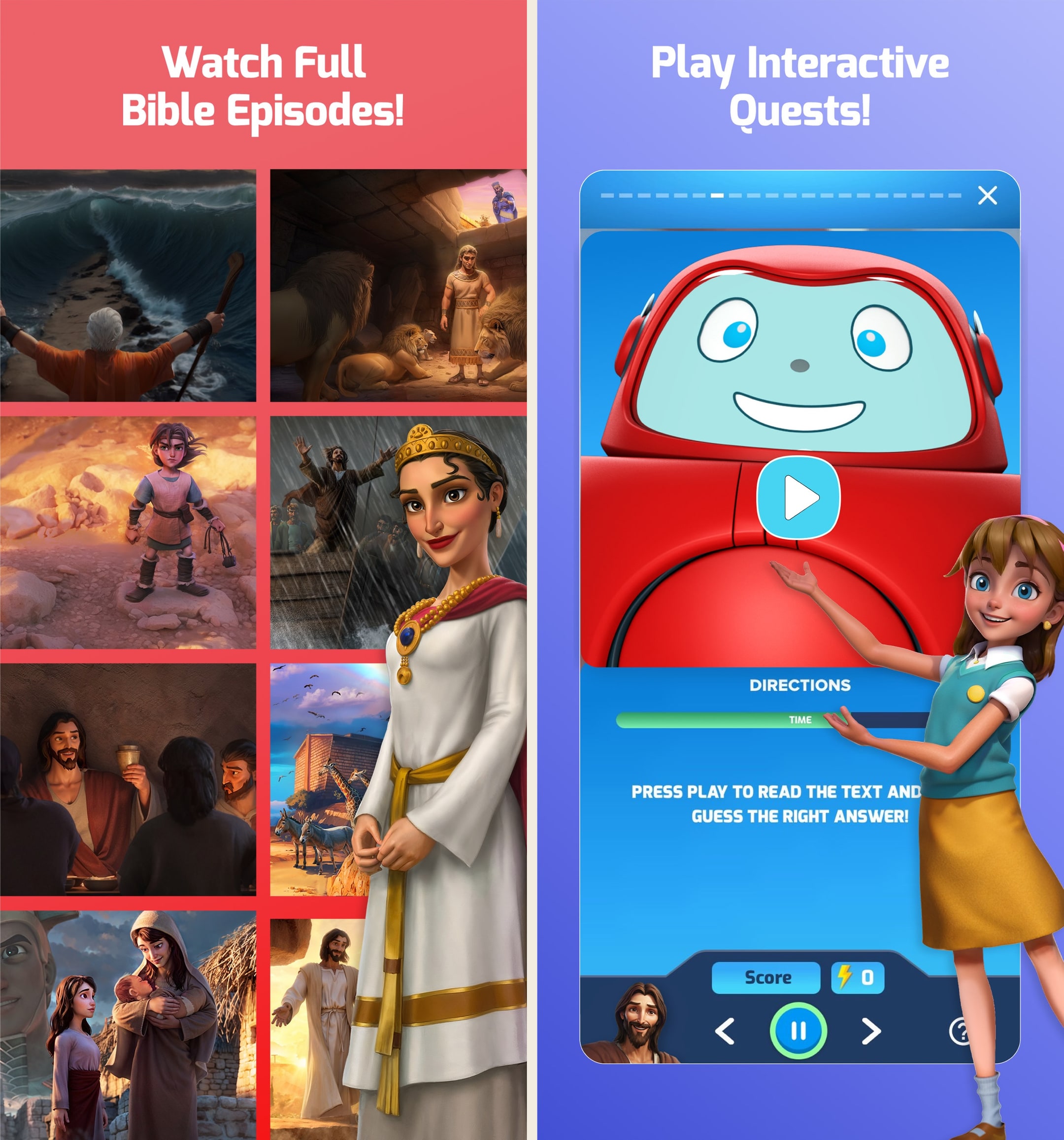
Superbook is the second pick in every kid Bible-app round-up we've run, and that's the right ranking. The episode library is genuinely deep — 68 full-length animated stories versus Bible App for Kids' 41 — and the topic-based content covering anxiety and friendship is the most thoughtful piece of curriculum on any kid Bible app we've tested. The streaming-only constraint is the real ding; for a road trip, Bible App for Kids wins because it works on a plane. If you have wifi at home and a Chromecast, Superbook turns into a family-room evening, which is a different and valuable mode that no other app in the category fills as well.
What we like
- 68 full-length Superbook animated episodes is by far the largest free animated Bible-episode library in the category — far more content than Bible App for Kids.
- Topic-based content (anxiety, shyness, friendship, self-image) maps to real situations a 6–10 year old is navigating, which is unusual for a kid Bible app.
- Built-in games and quizzes give kids a reason to return between episodes without devolving into pure mobile gaming.
- Free with no ads or paywalls — CBN funds the app as a ministry, and that funding model is intact in 2026.
- Casts cleanly to a TV via Chromecast or AirPlay, which turns it into a family-room experience instead of a phone-only one.
What to know
- Animation style is older — the original Superbook reboot launched in 2009, and visually it shows next to newer kid content.
- No offline mode for episodes — streaming-only, so a flight or low-signal road trip is not the use case.
- Theological framing leans evangelical-Protestant in places; non-denominational and Catholic households may want to preview episodes first.
- Account sign-up is pushed in onboarding, which adds friction when a parent just wants to hand a child a tablet.
- Sweet spot is ages 6–10 — younger toddlers struggle with episode length, older kids drift to YouTube.
Best for
Animated Superbook episodes for ages 6–10 on a Fire HD — 68 full-length episodes, free, with a working Amazon Appstore build.
Skip if
You need offline content for travel — Superbook is streaming-only, and Bible App for Kids handles airplane mode better.
THANKFUL777MOM
We love Superbook! The daily verse that is sent is a great way to start the day with my child. The videos are so enjoyable and Bible-based. The characters of Chris, Joy and Gizmo are very relatable. Not only are lessons learned by the characters from first-hand observation or interaction with a Biblical person, but the scripture is also brought to life through accurate depictions of places, clothing, and customs. Even the dialogue is most often what is actually written in The Bible. We have had so many discussions about God, life, our character, history, and geography after watching. It’s been a launching pad for learning. My child and her friends have not tired of seeing these videos for the last 5-6 years, and it’s still an exciting day to receive a new one in the mail. As a former film and television artist, I like the visual and voice quality of these videos. They are enjoyable for me to watch as well. We even watch the old, original videos produced, which are sometimes included in the extras section of the disc. We enjoy seeing the evolution of the storytelling and animation. We have given the extra videos to friends, family and a Christian school for Bible class. People ask us all the time, “Where can I get these??” Because extra discs are part of the sign up, we have extra copies to give out. This is so helpful because we were lending them out so much we didn’t get the benefit of them, and I want to keep an intact set for my grandchildren.
— THANKFUL777MOM · July 20, 2019
Warmpeach — coming soon
A Bible chat app — pastor and therapist in one.
Warmpeach is a Bible chat app that blends a pastor's care with a therapist's questions, grounding every reply in scripture. Join the waitlist and we'll email you when it opens up.
Verdict
Warmpeach — coming soon
Join the Bible chat app waitlist
Who this guide is for
This guide is for people who already own a Kindle Fire and want a Bible app that genuinely works on it. We are not going to pad the list. Fire OS is a forked Android with a much smaller app catalog than Google Play, and most Bible apps either skip the Amazon Appstore entirely or ship stale versions there. The honest list is short. We tested every app on it on real Fire hardware so you do not have to install a dozen apps to find out which ones work.
If your goal is serious Bible study and you have not bought the device yet, we would point you at an iPad or an Android tablet with Google Play services instead. Fire is fine for casual reading, audio, and kids. It is not where the deepest Bible apps live.
How we evaluated
We tested on a current-generation Fire HD 10 and on an older Fire 7 to make sure the apps held up across hardware. We installed every app from the Amazon Appstore that claimed Fire OS support, plus a handful of sideloaded APKs to check whether the apps people commonly recommend on Reddit actually work. They mostly do not, and we will say which.
A few things we paid extra attention to. First, whether the Fire OS build was actually current — many Bible apps publish a Fire version once and then forget about it. Second, account sync, since most Android Bible apps depend on Google Play Services for sync and Fire OS does not have those. Third, offline downloads, because Fire tablets are commonly used in places without Wi-Fi. Fourth, billing — several apps that charge on iOS or Play Store either do not charge on Fire or have broken purchase flows there.
We also paid attention to performance on the cheaper Fire hardware. The Fire 7 is the device many readers in this category actually own, and apps that run cleanly on a Fire HD 10 sometimes stutter badly on a Fire 7.
Key tradeoffs on Kindle Fire
App availability is the real constraint
The biggest fact about Bible apps on Fire is that the catalog is small. Many of the apps you would install on iPhone or Android Play Store either do not exist on Amazon Appstore or run a version that is one or two years out of date. YouVersion, Olive Tree, and Bible.is are the ones we trust.¹²³ Outside those, expect missing apps, broken sync, or stale builds. Sideloading helps a little, but most paid Bible apps with cross-device sync depend on services that Fire OS does not have.
What "free" looks like here
YouVersion is the only app on this list that is fully, genuinely free with no premium tier and no ads, and it is what most Fire users should default to.¹ Olive Tree's free tier is generous on Fire too, and the audio in Bible.is is free.²³ The paid Bible app market on Fire is essentially Olive Tree Plus and a handful of in-app purchases — and even those sometimes run more reliably through the website than through the Fire app's billing.² If you are coming to Fire because the device is cheap, the apps will mostly be cheap or free too.
Audio is a real Fire use case
Audio Bibles are one of the genuinely good fits for a Fire tablet. The device is often used in family rooms or kitchens, where speaker-based listening makes sense. Bible.is in particular handles offline audio downloads cleanly and has the multilingual library that nothing else on Fire matches.³ Dwell is the better-produced audio Bible overall but does not have a current Fire OS build we trust.⁴ If you want audio on Fire, Bible.is is the call.
Kids' Bible apps are a Fire bright spot
Fire tablets are a common kids' device, and YouVersion's Bible App for Kids is one of the better-maintained kids' apps in the Amazon Appstore.¹ Combined with the main YouVersion app, it covers most family Bible-on-Fire use cases. Glorify Kids and similar newer kids' apps are not consistently available on Fire — the iOS-first kids' Christian app market has not really caught up to Amazon's tablet platform yet.
Serious study does not happen here
We will say this plainly. Logos, Accordance, and the AI-chat apps are not real options on Fire.⁵⁶⁷ You can sideload some of them, and they will mostly fail in ways that waste your time. If your goal is serious Bible study — sermon prep, original-language work, building a real library — Fire is not the device. Use this guide to get good casual-reading and audio coverage on a Fire you already own, and do your serious work somewhere else.
What we did not test
We did not test sideloaded versions of apps that explicitly do not support Fire OS — they technically install but break in predictable ways, and recommending them would mislead readers. We did not test the AI Bible chat apps on Fire, since they do not have current Amazon Appstore builds and the Silk-browser experience is poor on this hardware. The ranking reflects what actually works on real Fire devices in 2026, not what the larger Bible app market would suggest if Fire OS had the same catalog as Google Play.
Sources
-
YouVersion Bible — Play Store listing (Android base for Fire OS sideload, free, Wear OS). Accessed 2026-05-11. https://play.google.com/store/apps/details?id=com.sirma.mobile.bible.android
-
Olive Tree Bible — Play Store listing (Android build, free tier and Plus subscription). Accessed 2026-05-11. https://play.google.com/store/apps/details?id=biblereader.olivetree
-
Bible.is — Play Store listing (free multilingual audio, offline downloads). Accessed 2026-05-11. https://play.google.com/store/apps/details?id=com.faithcomesbyhearing.android.bibleis
-
Dwell — Play Store listing (Android build, audio subscription). Accessed 2026-05-11. https://play.google.com/store/apps/details?id=com.dwellapp.dwell
-
Logos Bible Study — Play Store listing (Android build, subscription tiers). Accessed 2026-05-11. https://play.google.com/store/apps/details?id=com.logos.androidlogos
-
Accordance Bible Software — official site (platform availability). Accessed 2026-05-11. https://www.accordancebible.com/
-
The Bible Chat — Play Store listing (Android AI-chat app). Accessed 2026-05-11. https://play.google.com/store/apps/details?id=com.basmo.BibleChat