
Best Bible Apps for Study in 2026
By Sankalp Jonna · Last reviewed 2026-05 · 7 apps reviewed
How we tested
Every app here was installed and used personally. We capture raw findings — typed notes, screenshots, screen recordings, voice memos — and the writing is AI-assisted from those raw notes. Scores, rankings, and "best for / skip if" calls reflect our actual experience with each app. Read the full methodology →
How we evaluated apps for Study
Every app on this list was scored against the same 5 criteria. Hands-on testing, AI-assisted writing.
Library depth
Commentaries, study Bibles, monographs, dictionaries — how large a personal library the app can hold and how well it navigates.
Original-language tools
Greek and Hebrew morphology, syntax search, lexicons, and parsing at a depth serious readers will use weekly.
Cross-references and study tools
Passage guides, factbook-style topic browsing, and the study workflows that move from a verse outward.
Multi-device sync
Whether your study moves cleanly from desktop to tablet to phone, with notes and reading position intact across devices.
Subscription vs base package economics
How the pricing model works for serious users — monthly subscription vs one-time base package — and which fits which kind of reader.
Comparison at a glance
The full ranked list with our score, pricing, and the buyer profile each app fits.
| # | App | Score | Users | Pricing | Best for |
|---|---|---|---|---|---|
| 1 | Logos Bible Study | 8.8/10 | 4.9(165K) | From $4.99/mo | The default Bible study app — largest library, best Sermon Builder, strongest cross-device sync, and the deepest integrated study workflow. |
| 2 | Olive Tree Bible | 8.5/10 | 4.8(314K) | From $2.99/mo | The most accessible serious study app — generous free tier, clean split-window reading, Olive Tree Plus subscription for a curated study library at a friendlier price. |
| 3 | Accordance Bible Software | 8.2/10 | 4.8(13K) | From $14.99 one-time | Original-language exegesis at the highest tier — keyboard-first syntax search and Greek/Hebrew tooling that nothing else matches. |
| 4 | Blue Letter Bible | 8.3/10 | 4.9(324K) | Free | The strongest free original-language tool — Strong's, lexicons, interlinears, and parsing without paying anything. |
| 5 | Bible Gateway | 8.0/10 | 3.7(10K) | From $6.99/mo | Free translation comparison — the cleanest free way to view four or five English versions side by side, with strong commentary support. |
| 6 | BibleProject | 8.3/10 | 4.9(2.7K) | Free | Narrative-theology study — 200+ animated explainer videos plus long-form classes that map the whole Bible as one connected story, free, with Tim Mackie's biblical-studies depth. |
| 7 | Pencil Bible | 7.9/10 | 4.2(1.4K) | From $0.99/wk | iPad study with a real Apple Pencil annotation experience — pageable spreads, ink that feels like writing in a paper Bible, lifetime purchase available. |
Our picks, ranked
Logos Bible Study
The most powerful Bible study platform money can buy.
- Our score
- 8.8/10
- Platforms
- iOS, Android, iPad, Mac, Windows, Web
- Tradition
- Protestant, Catholic, Orthodox, Reformed, Baptist, Anglican, Lutheran, Methodist, Pentecostal, Non-Denominational, Ecumenical
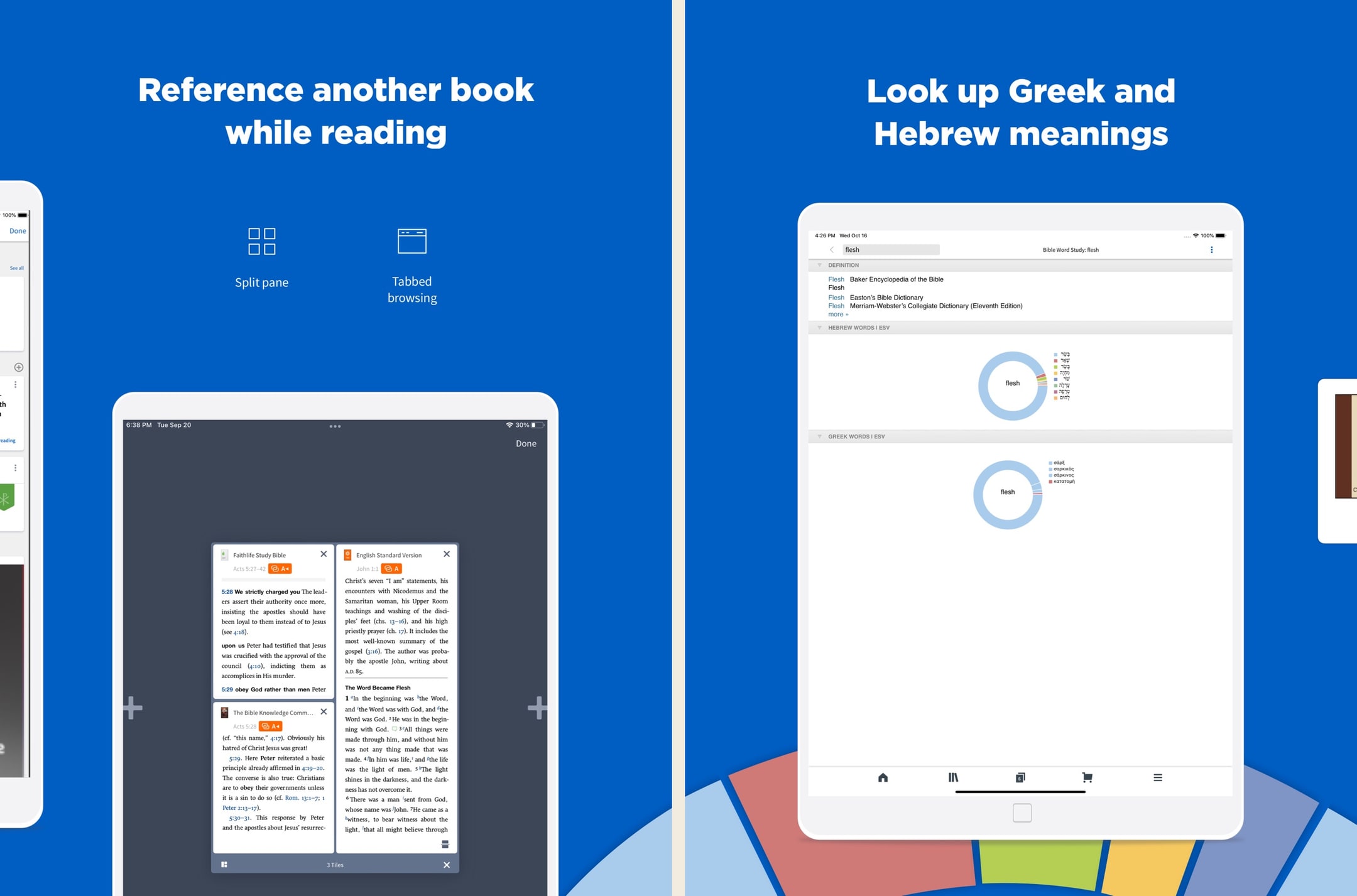
Logos is the most powerful Bible app we've used, full stop. In hands-on testing, the Passage Guide alone replaced about six tabs of cross-referencing we used to do manually. But the price tag, learning curve, and ecosystem sprawl are real — we'd never recommend Logos as a first Bible app. The new subscription tiers (Premium/Pro/Max) lower the on-ramp significantly versus the old base-package-only model, and Pro at ~$12.50/month annually is the sweet spot for most working pastors in 2026. For casual readers, this is still overkill.
What we like
- The Passage Guide and Factbook do in seconds what would take an hour with a stack of physical commentaries — this is still the killer feature.
- Original-language datasets are genuinely scholarly: morphological searches, syntax trees, semantic-domain searches, none of which exist in YouVersion or Olive Tree.
- Sermon Builder and the lectionary tools are legitimately useful weekly software for working pastors, not just a marketing checkbox.
- Resources you buy in base packages are yours permanently, even if you cancel a subscription — the ownership model still holds for purchased books.
- The mobile app has caught up to desktop in recent years — you can run a full Passage Guide on an iPhone, which used to be impossible.
What to know
- Pricing is genuinely confusing — base packages, subscription tiers, individual book purchases, and frequent sales make it hard to know what you actually need.
- Fastest path to a strong library still costs hundreds to low-thousands of dollars, even after the subscription tiers softened the on-ramp.
- The interface, on every platform, has a steep learning curve — most people use about 10% of what Logos can do.
- Mobile performance and load times can stutter on older phones once your library passes a few hundred resources.
- The Faithlife ecosystem (Sermons, Equip, Proclaim) is sprawling and the cross-product upsell is constant inside the app.
Best for
The default Bible study app — largest library, best Sermon Builder, strongest cross-device sync, and the deepest integrated study workflow.
Skip if
You only want a quick devotional read — Logos is built for serious weekly work and is overkill for that.
I love this app.
I have used many Bible apps and software and when by the grace of God I was led to the Logos web site, I was like a kid in a candy store with the permission to eat anything I wanted. I still keep the other Bible software but primarily I use Logos and the more resources you purchase the more powerful your Bible software becomes you only need to purchase what you need, I am just a lay person some of the packages I can't use at the present time. I think that any investment into The things concerning God is prosperous. To whom it may concern I hope anything that I say being just a lay person who is still reaping the benefits of what I don’t deserve which is to walk in the spirit of God and stumbling, falling and bouncing off the walls , if you will, and still reaching and walking after the perfection and that perfection being Christ. So this is my second time writing a review for this. I can barely find the words most glorious I don’t know powerful Bible software that I know to date many preachers use it so all I got to say is I hope I’m understood because I am not erudite and speech, but there are no lies coming out of my mouth, I just love LOGOS though when I found out about it so many books, I haven’t even read yet by the grace of God I’m gonna spend my life in his service and his word praise be to God, peace and spiritual prosperity to all who read this, I said the spirit of Godand the spirit does not stay with you always which is why we have to keep walking after pray for you. You know what I’m talking about. I’m saying I’m not saying God.
— Hldavis7455 · August 8, 2024
Olive Tree Bible
A serious study Bible that doesn't punish you for being free.
- Our score
- 8.5/10
- Platforms
- iOS, Android, iPad, Mac, Windows, Web
- Tradition
- Protestant, Ecumenical, Reformed, Baptist
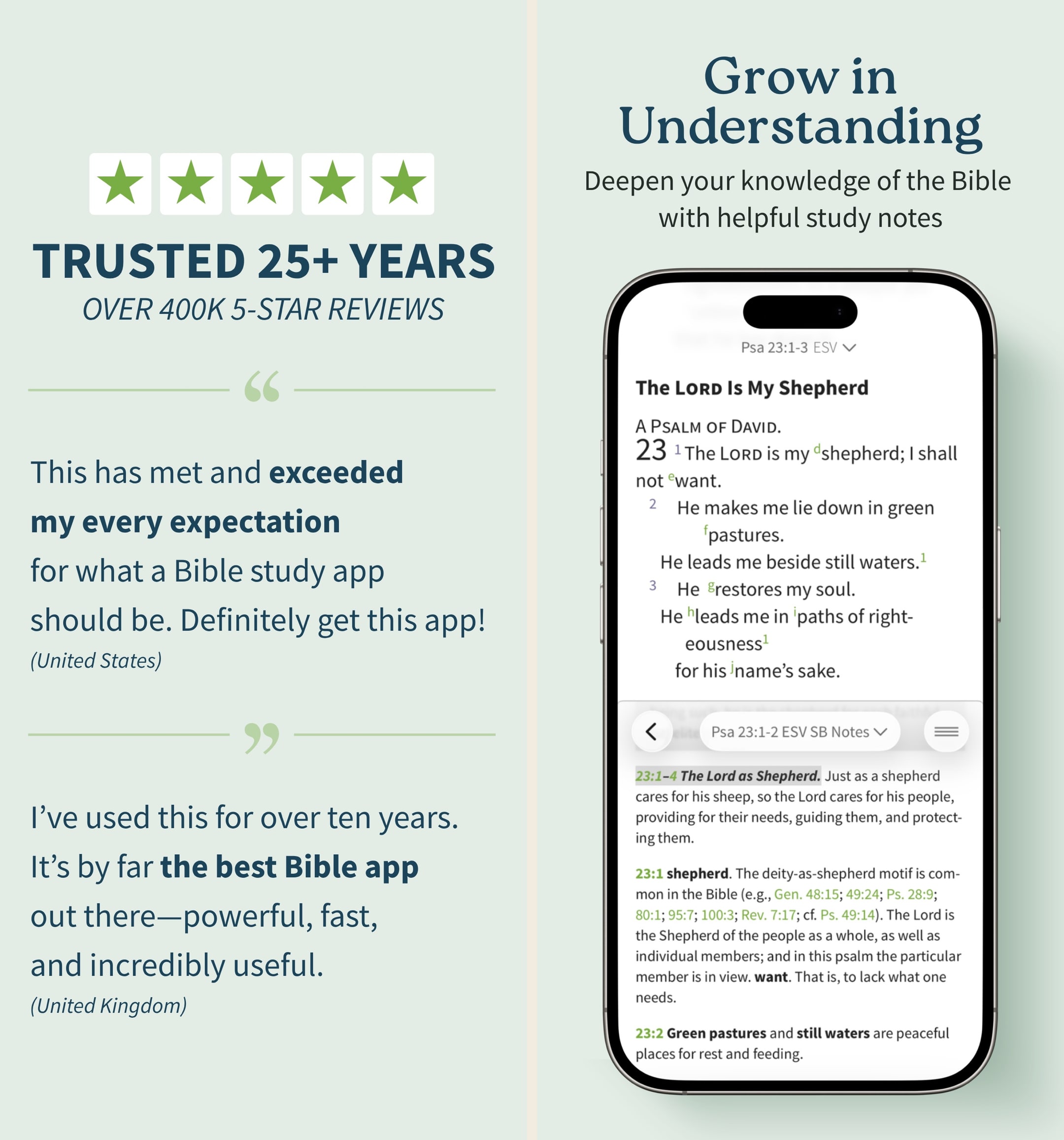
Olive Tree is the app we keep recommending to people who outgrow YouVersion but aren't ready to spend Logos money. In our hands-on testing, the split-window view and real notebook were the features we missed most when we switched away. The store is a mess and the look is dated, but the bones are excellent. If you want one app that handles daily reading and serious study without forcing you onto a subscription treadmill, this is still the cleanest answer in 2026 — especially if you read across iPhone and a Mac.
What we like
- Split-window reading lets you put two translations or a translation and a commentary side-by-side on a phone, which is the single best small-screen study feature on any Bible app.
- Notes are real notes — long-form, taggable, organized by passage, and they sync cleanly across iPhone, iPad, Mac, and Windows.
- You actually own resources you buy — perpetual licenses, no rug-pull when a subscription lapses, which still matters in 2026.
- Original-language tools (Strong's, interlinears, Greek/Hebrew lexicons) are genuinely usable for non-scholars who want to look up one word.
- The free tier is unusually generous — unlike Logos, you can do real study without ever paying a cent if you stick to free resources.
What to know
- The store is overwhelming — hundreds of resource bundles, frequent sales, and a UI that feels like a 2014 Bible bookstore.
- Premium study Bibles and major commentaries cost real money — building a serious library can run several hundred dollars even on sale.
- No groups, no social, no shared reading — this is a solo-study tool, not a community app.
- The mobile UI, while functional, looks dated next to YouVersion or Glorify; typography and spacing feel pre-iOS-17.
- Audio Bible options exist but are nowhere near as polished or dramatized as Dwell or Bible.is.
Best for
The most accessible serious study app — generous free tier, clean split-window reading, Olive Tree Plus subscription for a curated study library at a friendlier price.
Skip if
You want the deepest possible original-language tools — Logos and Accordance go further.
God’s Word on the go!
I have used this particular Bible app. off and on for several years. I really enjoy this version of the Bible. The Bible itself is easily understood and user friendly. I would strongly recommend this wonderful book to any and all both Christian and novice alike. I intend to use it more often and try harder to absorb the words and their meanings each and every day. Probably the best approach would be to start a daily journal to better understand what I am reading. Many do not read the Bible I believe because some of the readings are hard to understand but this version is very user friendly as stated. So those reading these comments let me encourage you to take some time to read and pursue the Olive tree Bible version and see for yourself. Ask God to open your mind, heart and eyes in the pursuit of His truth and watch the blessings flow in your life. We are living in hard times so much doubt and fear surrounds us all. Many are looking for peace. The peace you look for can be found in God’s Word. Don’t believe me read for yourself. If you are looking for a true friend Look no further than God Himself. He loves you and cares very much for you and your family and friends. As a follower of Christ even though we have never met I love you as a bother and sister. My prayer is that God will open your eyes and heart to what He wants for you in this life. Never give up, keep reaching to the heavens and know your are loved beyond your comprehension. Blessings to all Rick
— a new begjnning · April 11, 2022
Accordance Bible Software
The Mac-first power user's Bible study platform.
- Our score
- 8.2/10
- Platforms
- iOS, Android, iPad, Mac, Windows
- Tradition
- Protestant, Catholic, Reformed, Baptist, Anglican, Lutheran, Methodist, Ecumenical
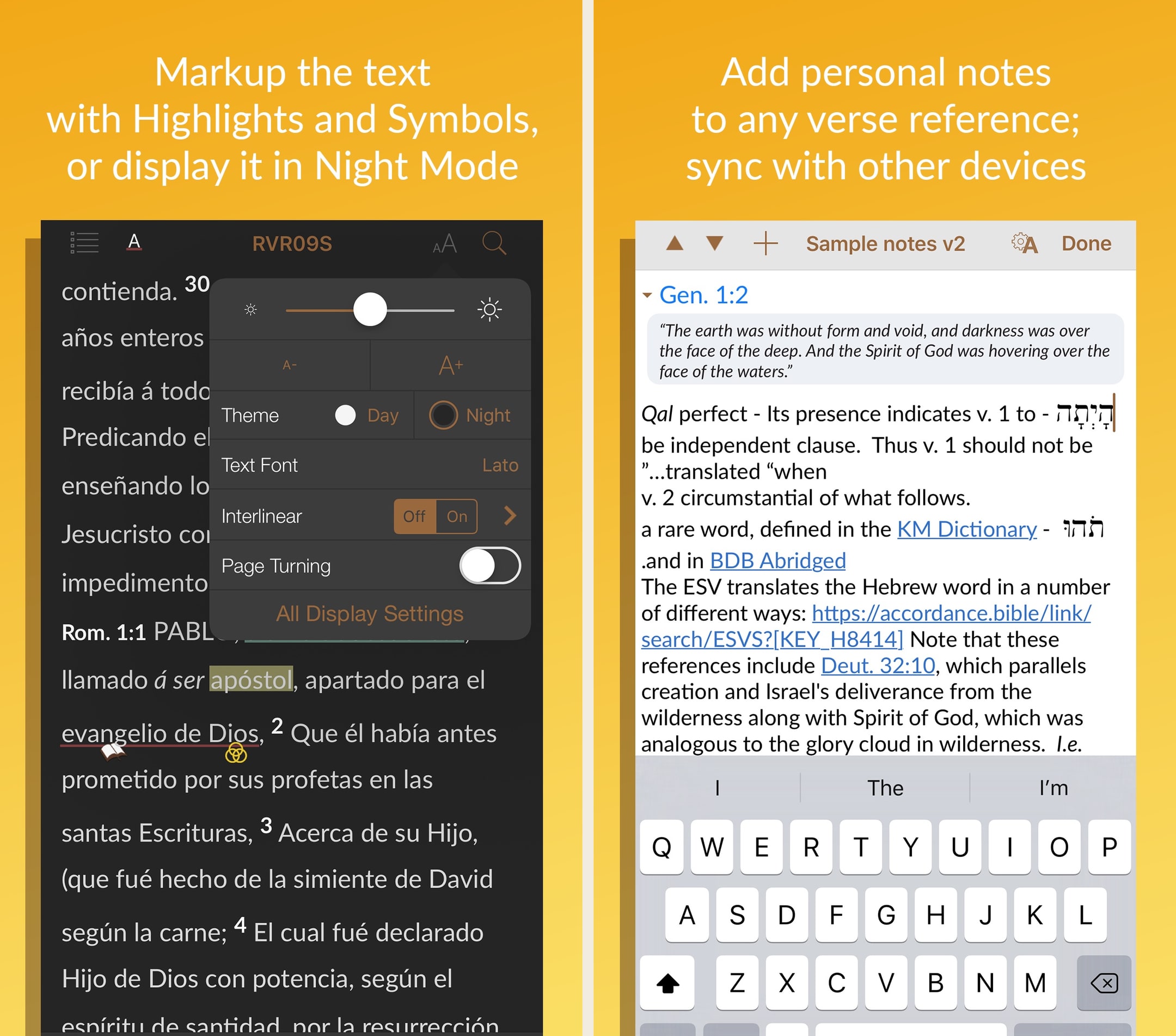
Accordance has been the quiet alternative to Logos for years, and on a Mac, it still holds up. In hands-on testing, search speed across a heavy library was visibly faster on Accordance than on Logos, and the cleaner UI matters for long study sessions. The mobile apps are noticeably thinner, which is the real tradeoff — if you live on your phone, this isn't your pick. But for Mac-using pastors and scholars who want a permanent library without a subscription, the $49 starter license plus targeted resource purchases is the most ownership-friendly path to a serious study setup in 2026.
What we like
- Mac performance is genuinely excellent — searches across a large library run faster than the equivalent in Logos, especially on Apple Silicon.
- One-time purchase / permanent license model means you actually own what you buy, with no subscription required to keep using your library.
- Original-language tools (Greek, Hebrew, Aramaic, Syriac) are research-grade — the app has a long history with biblical scholars and seminary use.
- $49 starter license is one of the cheapest paths to a real ownership-model study Bible platform, especially with the 90-day trial.
- Cleaner, less-cluttered interface than Logos for users who don't want a sprawling Faithlife ecosystem.
What to know
- Mobile apps are noticeably weaker than the Mac/Windows desktop experience — the iPhone/iPad app feels like a companion, not a full client.
- Resource catalog is smaller than Logos — some niche commentaries and academic resources just aren't available.
- Marketing site and store experience are dated, and the pricing across collections can be hard to parse without help.
- Smaller user base means a smaller community, fewer YouTube tutorials, and less third-party content than Logos.
- No subscription tier for users who'd rather rent a curated library than own one — every meaningful upgrade is a purchase.
Best for
Original-language exegesis at the highest tier — keyboard-first syntax search and Greek/Hebrew tooling that nothing else matches.
Skip if
You want a friendlier UI or a broader content library — Logos is more approachable.
Great app, but a few user interface issues
Accordance is one of the best Bible study apps available, period. I use it regularly, both for personal reading and devotion, and in my studies and research. Version 3.4 has been much more stable than previous versions, however, I still run into user interface issues. For example, if I want to switch to a different book or resource while in reader view, I try to click in the top left corner, but 95% of the time, or more, it only brings up the instant details pop up or the verse tool. I have literally spent over 2 minutes just trying to change Bible books in the middle of sermon while trying to keep up with the teaching. If there is a gesture just for bringing up the resource selector, I am not aware of it. Also, the divider between the two text panes always changes position when switching between apps. I usually keep the divider halfway between my English and Hebrew/Greek texts. When I switch to my note taking app and then switch back, the divider has jumped to the ⅔ of the screen in English text and ⅓ in original language. That means every time I switch, I also have to reposition the divider. This is frustrating and should be easily fixed. As it is, sometimes, if I’m trying to take notes in the middle of a sermon or teaching, I don’t use Accordance, but use a simple Bible reader app, just because I get frustrated with the user interface issues. I hope OakTree Software takes care of this, because when Accordance works properly, it’s probably my favorite Bible app.
— j micah · May 27, 2023
Blue Letter Bible
Free original-language study tools, no upsell.
- Our score
- 8.3/10
- Pricing
- Free
- Platforms
- iOS, Android, iPad, Web
- Tradition
- Protestant, Reformed, Baptist, Non-Denominational, Ecumenical
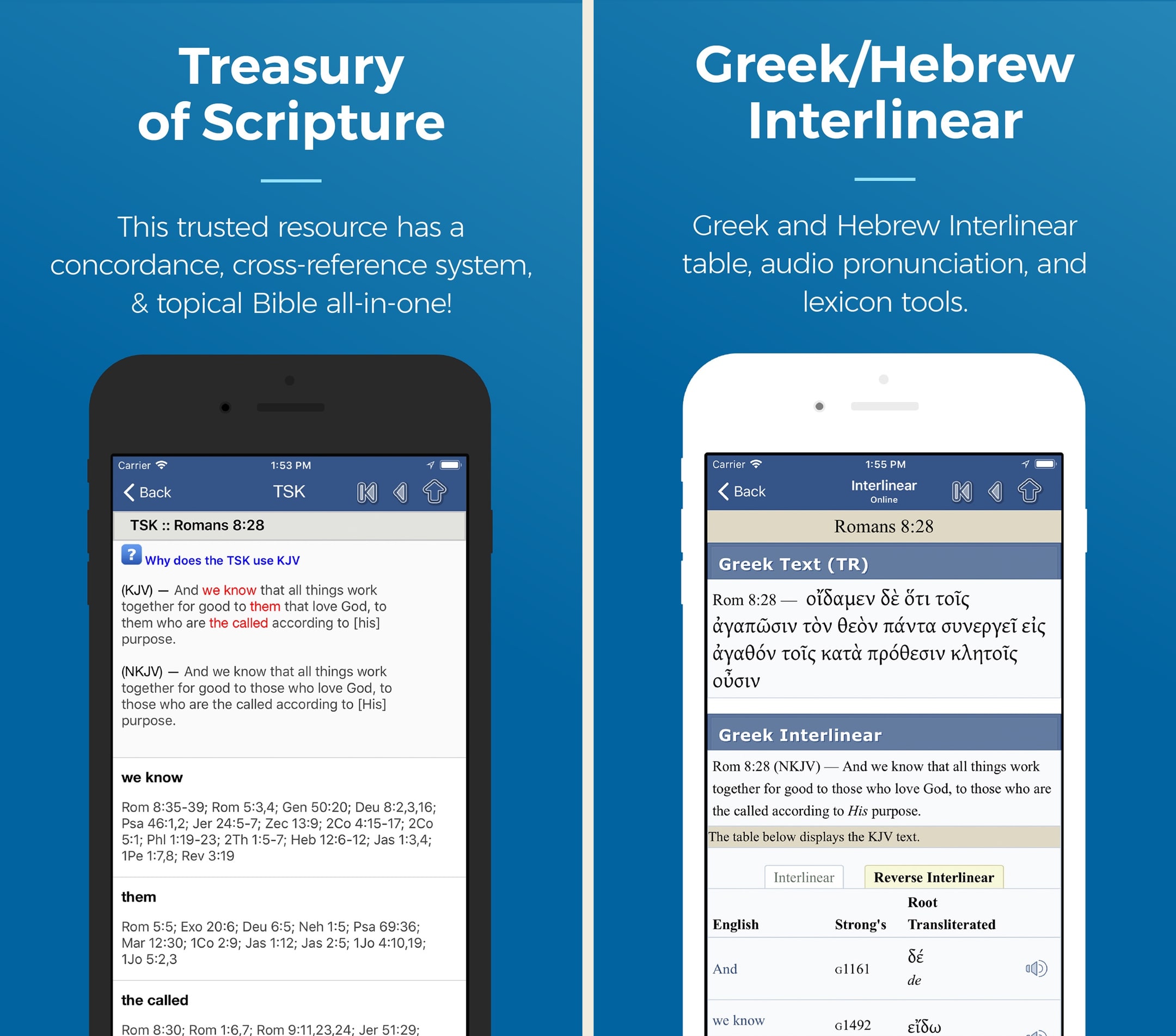
Blue Letter Bible is the unsung hero of the free Bible app world. In our hands-on use, no other free app comes close on original-language tools — tapping a word in Hebrews and getting a Strong's lookup, lexicon entry, and concordance hits in two taps is genuinely useful. The look is dated and the modern-translation library is thin, but the substance is there. If we could only have one free study app on a phone in 2026, this would be the pick — and the fact that it's donor-funded with no ads makes it easy to recommend.
What we like
- Tap any word, see the underlying Greek or Hebrew with Strong's number, lexicon entry, and every other place that root appears in scripture — for free.
- Treasury of Scripture Knowledge is built in and crosslinked, which means every verse comes with a hand-curated chain of related verses.
- Genuinely no premium tier and no ads — donor-funded ministry, so the experience is the same for every user.
- Public-domain commentaries (Matthew Henry, JFB, Gill, Clarke) are integrated and searchable inside the app.
- The Android and iOS apps are lean and fast, with offline downloads that don't require an account or subscription.
What to know
- Modern translations are limited — KJV, NASB, ESV (limited), and a handful of others; you won't find every translation YouVersion has.
- UI is utilitarian — it works, but it looks like a study tool from 2017, not 2026.
- Reading plans library is small and dated compared to YouVersion or Glorify.
- No social or community features — no shared notes, no groups, no friends.
- Default theology leans Reformed/Calvary Chapel, which surfaces in some commentary picks and curated content.
Best for
The strongest free original-language tool — Strong's, lexicons, interlinears, and parsing without paying anything.
Skip if
You want a polished modern UI or a personal library to build on — Blue Letter Bible is web-style and dated.
This is the ultimate bible online study
Totally awesome! and without ads :This is Tremendous bible resource in every way, just start exploring and be sure to click on a verse and click the one in the middle of menu and you will be able view Greek and Hebrew and explanation of all words (that choice is: Concordance/Interlinear); and so much more, all ad free. It is truly amazing. I started using this app over 7 years ago. The desktop edition is also great. For this app:They keep improving on what is already great. Example: choice for you to have the chapter read aloud for you, or the whole of the book within the 66 books of the Bible. Just about every translation of the many English translations are available. Also includes Thayer’s in depth original and amazing words in Bible I continue to learn about the root meanings through this tremendous resource that the brilliant geniuses of the development team make available when you go to a verse in linear concordance and tap any word you will get Hebrew and Greek of word it even pronounces it for you and click at bottom of that page for the Thayer selection which opens up a whole realm of authentic text Insight- when you see it you’ll get what I mean - hard to describe depths of this and for each word. I’m not an employee of this remarkable non profit, may I recommend supporting it. Also fully available on your web browser. iPad version is also dynamic and outstanding as well.
— blueBibleReader · March 29, 2025
Bible Gateway
The web's biggest Bible site, in app form.
- Our score
- 8.0/10
- Platforms
- iOS, Android, iPad, Web
- Tradition
- Protestant, Catholic, Ecumenical
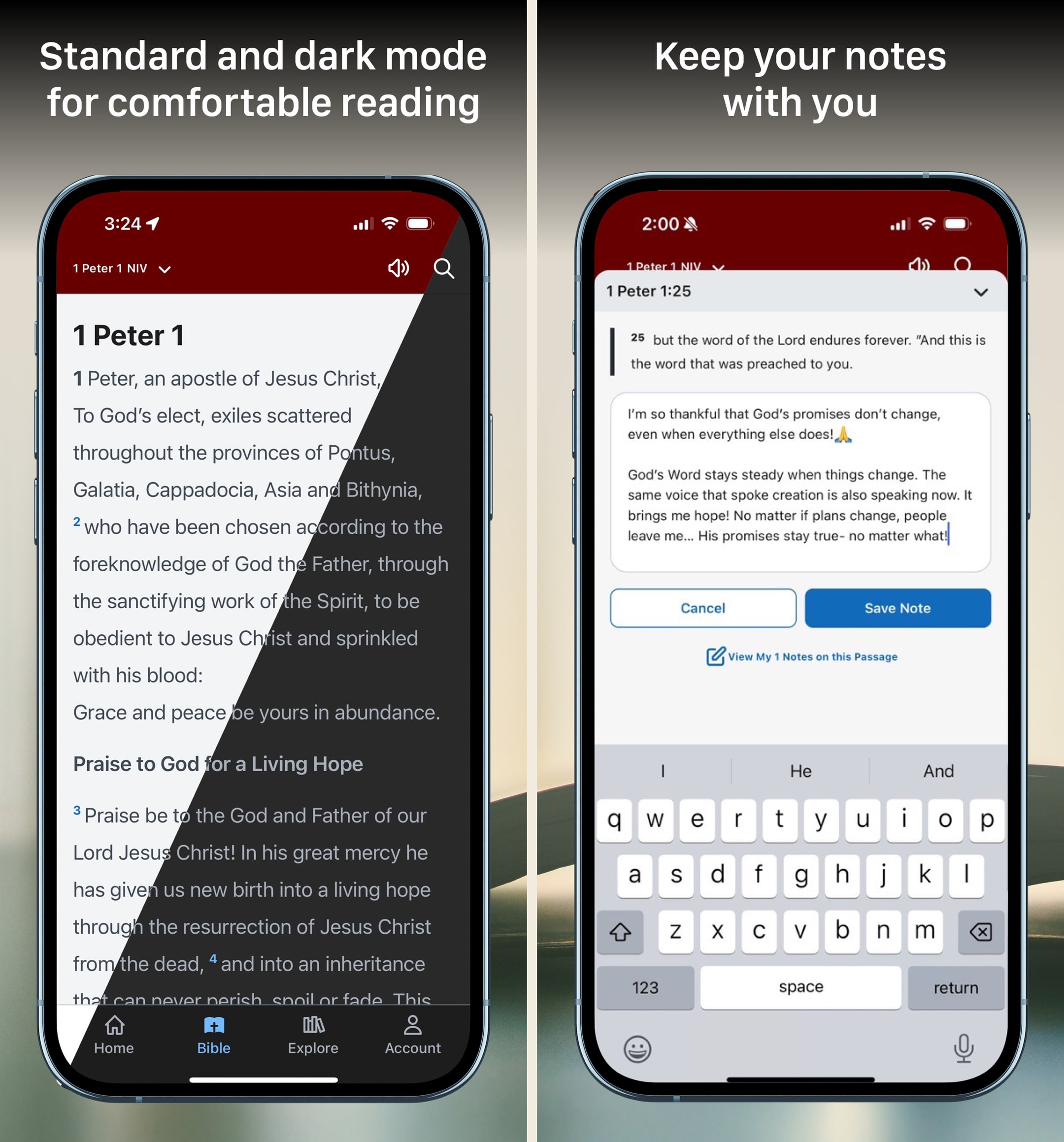
Bible Gateway has been the web's default Bible since the 1990s, and the app is finally catching up. In our testing, the free tier is solid for daily reading and the Plus tier is genuinely useful — at ~$5.83/month annually, getting access to the NIV Study Bible, MacArthur Study Bible, and Believer's Commentary is a real value. The catch: the app is best when online, and the offline experience is thinner than YouVersion's. We use it as a complement to a heavier study app, not as a primary daily-reading tool, but for anyone already on the website it's an easy install.
What we like
- The same vast translation library that made BibleGateway.com a default for two decades — 200+ versions including a strong Catholic and ecumenical lineup.
- Bible Gateway Plus is the cheapest path to a real study-Bible-and-commentary library at $69.99/year — much less than building a comparable Olive Tree or Logos library.
- Audio Bible coverage is excellent, with 30+ free dramatized and read-aloud audio versions in the free tier.
- Cross-device sync is solid — highlights and notes from the web carry to phone and back without much fuss.
- Ads in the free tier are restrained and disappear entirely with Plus, unlike some competitors where the free experience is intentionally crippled.
What to know
- Offline mode is weak — the app really wants a connection, and download options for translations are limited compared to YouVersion or Olive Tree.
- No original-language tools at all — no Strong's, no lexicons, no interlinear, even on Plus.
- The mobile app trails the website in features; some Plus resources read better in a browser than in the app.
- Notes editor is basic — fine for short reflections, frustrating for anything longer than a paragraph.
- No community or group features, no shared reading plans, no friends.
Best for
Free translation comparison — the cleanest free way to view four or five English versions side by side, with strong commentary support.
Skip if
You want offline reading or a serious-study platform — Bible Gateway is web-first and offline behavior is weak.
Every morning for years, now uninstalling
First, I’m a programmer, and certainly realize a company needs a revenue stream. For several years, I started my day with the scripture of the day on the first screen. The latest update gets me invested in the first 4-5 words, then covers the screen in an ad which must be endured for an indeterminate amount of time. - Having a clear “Ad Free” buyout would be a good option, as the banner in the middle (which is actual an upgrade to paid) is not obvious. - Basically, a “Could you pay $30-40 one time to help us keep the lights on?” I would do today. But I don’t use the app enough to warrant another subscription, and the reviews for the paid version aren’t great. - I realize Christian folks (in US anyway) can be cheap and demanding. I make effort not to be either. That said, at 4:30am, a scripture is a good way to start the day. A Jack-in-the-box pop up ad I must endure to get to that scripture? I’ll turn on a light a read my Bible, or use a different app. Thank you much, for all the years. If I find you have a perpetual license option then great, if not, this will be deleted.
— jdstoker · September 7, 2024
BibleProject
Free animated explainer videos and classes that map the whole Bible as one story.
- Our score
- 8.3/10
- Pricing
- Free
- Platforms
- iOS, Android, Web
- Tradition
- Protestant, Non-Denominational, Ecumenical
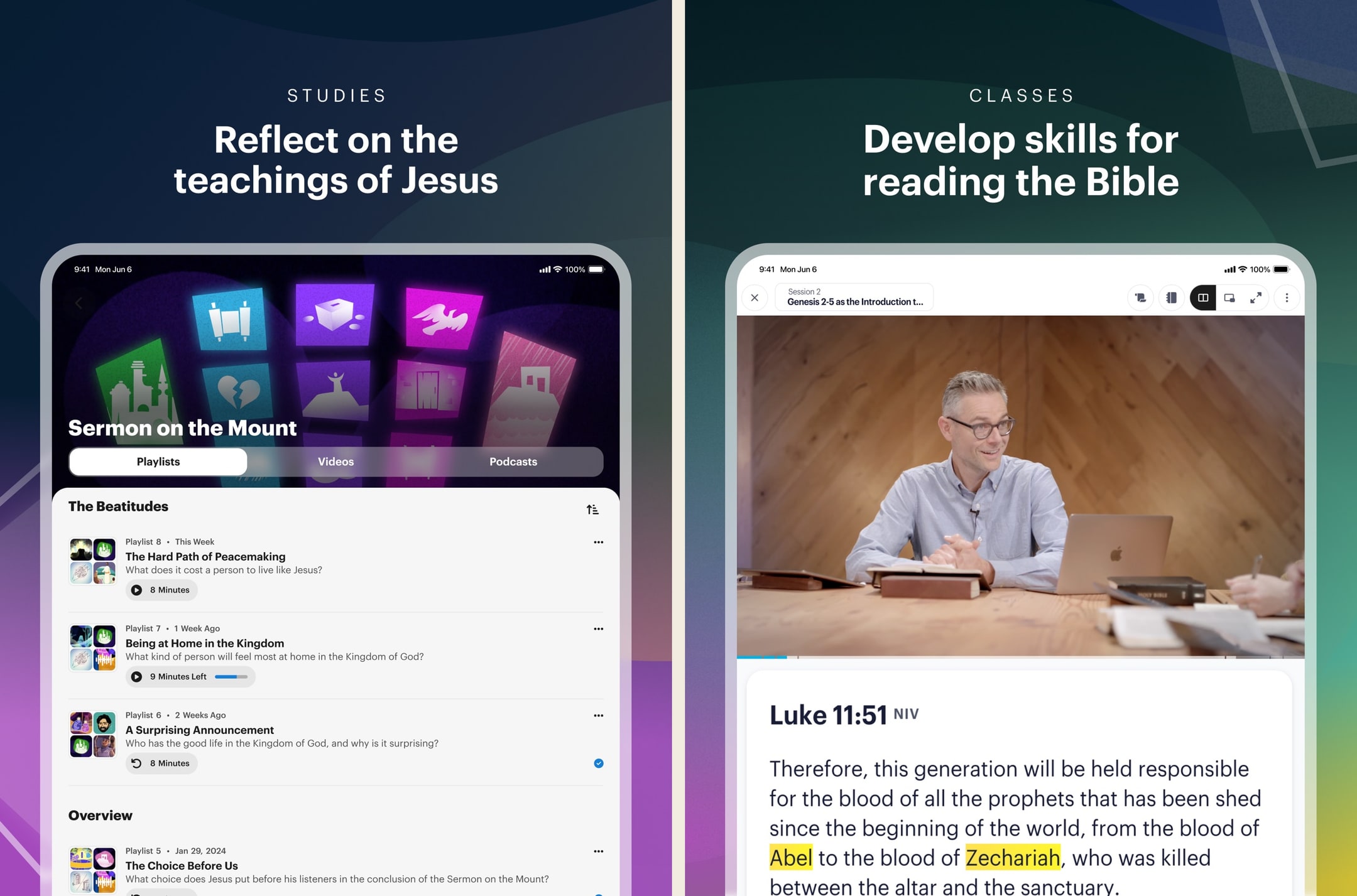
BibleProject is the app we recommend more than any other to people who say they want to actually understand the Bible. In hands-on use the videos are the unlock — five-to-ten minutes each, animated cleanly, and dense with insight without sliding into seminary jargon. Tim Mackie's biblical-theology lens isn't every reader's frame, but the work is honest and the production is exceptional. We pair it with YouVersion or Olive Tree for actual scripture reading and treat BibleProject as the literacy layer that helps everything else make sense. For a college student or new believer, it might be the single most useful Bible app on the phone.
What we like
- 200+ animated explainer videos cover every book of the Bible, major themes (covenant, Messiah, Sabbath), and the whole-Bible narrative arc — there is nothing else like it for visual Bible literacy.
- Classes are genuinely long-form — multi-hour courses on Genesis, the Sermon on the Mount, Revelation — and they hold up to repeat watching.
- Tim Mackie and Jon Collins have credible biblical-studies backgrounds (Mackie has a PhD in Hebrew Bible), which matters for a study-focused product.
- Free with no ads, no premium tier, no upsell — funded entirely by donors and structured as a nonprofit.
- Multilingual — videos are dubbed into 60+ languages, which makes it the rare Bible-literacy resource that works for non-English readers.
What to know
- It's not a Bible reader — the app is a video and class library, so users still need YouVersion or another app for actual scripture text.
- Theological lens is recognizably Protestant evangelical with a covenant/biblical-theology orientation; not every viewer will land in the same place on every video.
- App itself is functional but not the prettiest — the content is the experience; the wrapper is utilitarian.
- No discussion or community features, so it's a solo or small-group resource rather than a connected experience.
- Some classes assume reasonable Bible familiarity already; total beginners may want to start with the foundational videos rather than jumping into the deeper course content.
Best for
Narrative-theology study — 200+ animated explainer videos plus long-form classes that map the whole Bible as one connected story, free, with Tim Mackie's biblical-studies depth.
Skip if
You want a Bible reader or original-language tools — BibleProject is the explainer layer, not a reader or a research platform.
A MUST HAVE
I have been using Bible Project for years in all their formats and this app just made it even easier to access all of their straight forward teaching. To use a food analogy they took all of their great WELL PREPARED food offered separately and put it all together at a buffet. It is going to make it so much easier to share with fellow believers and unbelieving friends that are willing to listen so they can learn and read the Bible as it was meant to be read. It makes so much more sense and eliminates a lot of the “why would they have written that” and the “that makes no sense at all”. They honestly do make it the Bible easy to see the big picture and how it’s one big story that points to Jesus. I was supernaturally changed in my late 30s so I came to Jesus fresh unhindered by years of limited teaching so there were numerous parts of the Bible that never made sense and there were so many dots that I couldn’t connect to see the picture that had been given to us and these guys continue to clear those connections up and every time something doesn’t seem to fit I look to see how I can read it to better understand.
— Spiritfilled Epic release · December 31, 2021
Pencil Bible
The only Bible app built around Apple Pencil annotation on iPad.
- Our score
- 7.9/10
- Platforms
- iOS, iPad
- Tradition
- Protestant, Catholic, Non-Denominational, Ecumenical
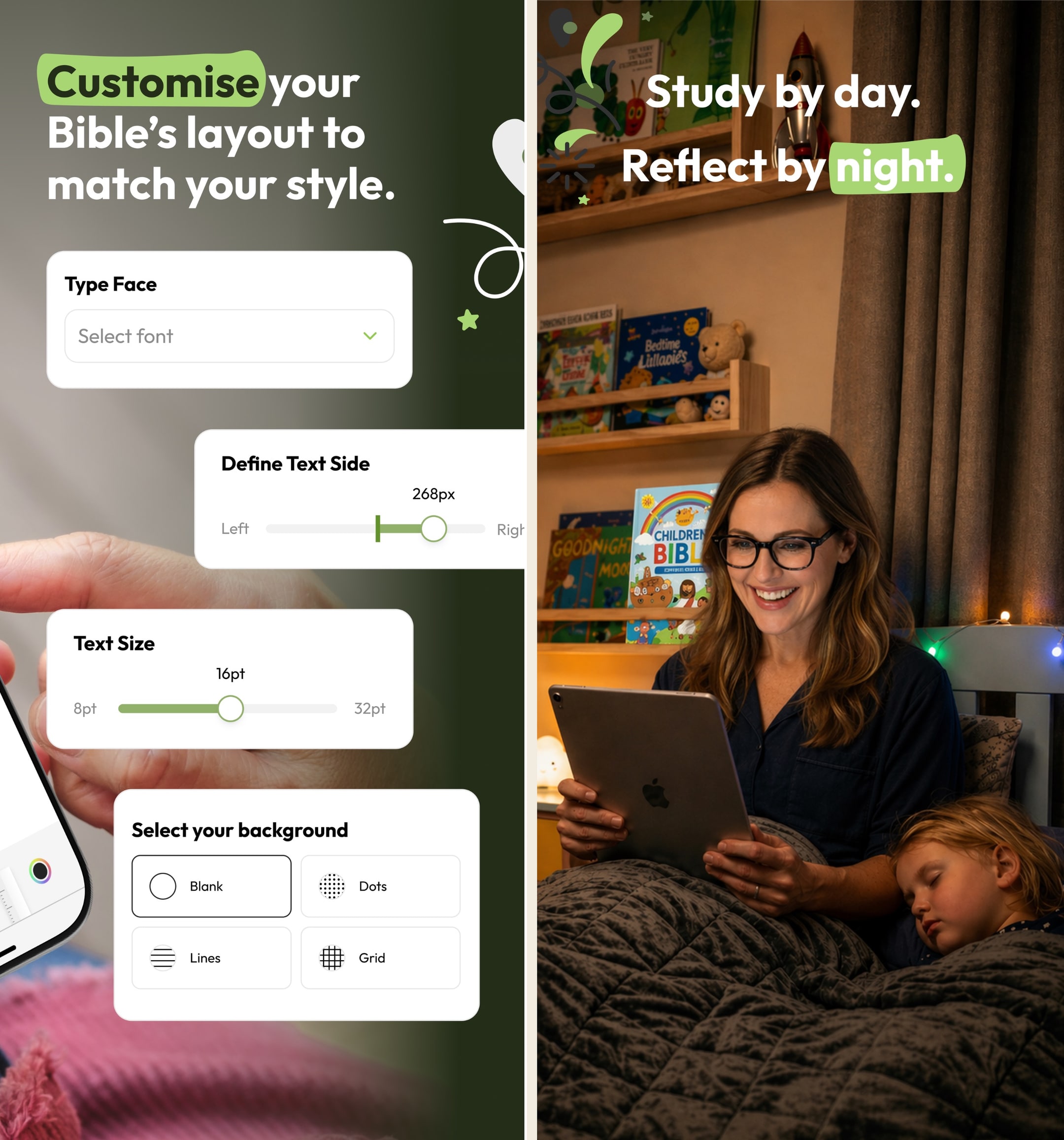
Pencil Bible is the kind of indie app the App Store does well — narrow, focused, and genuinely better than the big players at one specific thing. In hands-on testing on iPad with a Pencil, the annotation experience is the closest digital equivalent to writing in a paper Bible we've used. The page-spread layout, the ink feel, the ability to flip back through hand-marked passages — none of the bigger apps come close. The constraints are real: iOS-only, no audio, no plans. We pair it with YouVersion or Olive Tree for daily reading and use Pencil Bible as the study notebook on the iPad. For Apple Pencil users who study seriously, it's a no-brainer.
What we like
- The only Bible app built around Apple Pencil + PencilKit annotation — drawing on scripture with a real pen feel that no other Bible app gets close to.
- Page layout is designed for handwritten notes — wide margins, pageable spreads, and ink that feels like writing in a paper Bible rather than typing into a notes field.
- Indie-built and lean — no AI chat sprawl, no ad layer, just the annotation experience refined over multiple updates.
- Lifetime purchase at $59.99 is genuinely available, which is rare for indie apps and means no subscription treadmill for serious users.
- iCloud sync across iPad and iPhone is reliable — annotations made on iPad show up on iPhone in the same passage immediately.
What to know
- iOS-only (iPhone + iPad) — no Android, no Mac client, no web. Android note-takers have no equivalent product.
- No reading plans, no audio Bible, no devotional content — this is a pure annotation app, not a daily-reading app.
- Indie developer with a small team means feature velocity is slower than YouVersion or Olive Tree; bugs are usually fixed but slowly.
- Bible-translation library is smaller than mainstream apps — major versions are present but obscure translations may not be.
- Annual subscription at $24.99 is fine, but for a small indie app the lifetime tier is the better value if you'll use it for more than two years.
Best for
iPad study with a real Apple Pencil annotation experience — pageable spreads, ink that feels like writing in a paper Bible, lifetime purchase available.
Skip if
You're on Android, you don't have an Apple Pencil, or you want commentary, original-language tools, or a deep resource library.
Beautiful concepts, needs some tweaks to the Pencil support
I absolutely love this concept. I have always wanted some sort of digital bible with the ability to hand write your own notes into it, rather than type them in some hidden menu where they are hidden from view and hard to access/remember that you even took a note on that verse in the past. It always seemed clunky to me to use a digital bible and a physical notebook. Even with the addition of splitting the screen between two apps, it never felt natural to use a bible one one half of the screen and a note taking app on the other, especially because the note taking apps get squished so much they’re hard to use. The translation selection, while limited, does offer a good selection of translations and I see that there are several more on the way as well. I understand obtaining rights to use the text is hard, but what’s there already is a very good starting point. My one complaint with the app is when using the pencil, palm rejection is not great. I unfortunately noticed it right off of the bat when using the Bible in landscape mode. Resting my hand on the display to write will result in the pencil sometimes working, sometimes not, which makes taking notes in the margins more difficult. It seems to confuse some strokes with swipes and tries to scroll the screen, or it won’t write anything for a bit so I try again a couple times, it’ll flash everything I tried to write, then it disappears. Not sure if this is because I am using an older iPad and there’s more lag than the newer ones, but other apps with pencil support, like Penultimate, work just fine and I never have palm rejection issues. Hopefully this can get patched at some point, but until then I will definitely continue using this. It’s about time someone developed an app like this.
— durablecardboard · October 24, 2023
Warmpeach — coming soon
A Bible chat app — pastor and therapist in one.
Warmpeach is a Bible chat app that blends a pastor's care with a therapist's questions, grounding every reply in scripture. Join the waitlist and we'll email you when it opens up.
Verdict
Warmpeach — coming soon
Join the Bible chat app waitlist
Who this guide is for
This guide is for serious Bible-study readers — pastors, seminary students, lay readers who do real exegetical work, and anyone whose engagement with scripture has outgrown a daily-reading app. We are interested in apps with real library depth, original-language tools, and study workflows that hold up under sustained use. We are less interested in consumer-shaped apps that have a Bible inside them.
If you came here for a one-app answer, install Logos. It is the deepest tool in this category, the cross-device sync is the strongest, and Logos Pro is the tier most serious users land on.¹ The rest of this guide is about which second app to add — Accordance for original-language exegesis, Olive Tree for a friendlier serious-study experience, Blue Letter Bible as a free addition every reader should have.²³⁴
How we evaluated
We tested with sustained study sessions — sermon prep, original-language exegesis, paper writing, cross-reference workflows — across multiple devices. We tracked library scaling, sync reliability, offline study capability, and the friction of moving between phone, tablet, and laptop during a single study session.
A few things we paid extra attention to. First, library depth — how large a personal library each app could realistically hold and how well it navigated under load. Second, original-language tools, which are one of the most genuine differentiators in this category. Third, the subscription-vs-base-package question, since the long-term economics for serious users matter more in the study category than anywhere else. Fourth, integration with sermon prep and paper writing, since study apps are often part of a broader workflow.
We also paid attention to the free study stack. Many readers will not pay for a study app at all, and the free tools (Blue Letter Bible, Olive Tree free tier, Bible Gateway, YouVersion) cover more ground than most users realize.
Key tradeoffs on Bible study apps
Logos vs Accordance vs Olive Tree
The three serious study apps split along clear lines. Logos has the broadest library, the friendliest onboarding, and Sermon Builder.¹ Accordance has the strongest original-language search and a keyboard-first workflow that scholars often prefer.² Olive Tree is the most accessible at the price point, with a generous free tier and a $5.99/month Plus subscription that gets you a curated library.³ The honest split: Logos for pastors and broad serious readers, Accordance for serious Greek or Hebrew exegesis, Olive Tree for readers who want depth without a Logos-sized commitment.
Subscription vs base package
Logos and Accordance both sell subscriptions and one-time base packages. Logos Premium is $9.99/month, Pro is $14.99/month, Max is $24.99/month. Logos base packages range from $295 to over $10,000.¹⁵ Accordance starts at a $49 starter license and sells resources a la carte.² Olive Tree Plus is $5.99/month or $59.99/year.³ The economics: subscriptions are friendlier on day one, base packages are friendlier across a decade. Most serious users we know own a base package they bought during a sale and add resources during seasonal promotions.
Original-language depth
If your study includes Greek or Hebrew, the original-language depth becomes the most important criterion. Accordance is the deepest, with syntax search that runs locally and morphology databases that beat anything else.² Logos at the Pro tier has comparable depth and is more approachable for newcomers.¹ Blue Letter Bible's website is the strongest free original-language tool and is enough for many undergraduate-language students.⁴ The right pick depends on how often you do serious language work and how much you value the keyboard-first workflow over the broader library.
Multi-device sync
Serious study rarely happens on one device. A typical week involves the phone for daily reading, the tablet for longer sessions, and a Mac or Windows laptop for sermon prep or paper writing. Apps with strong cross-device sync (Logos, Olive Tree) hold up under this.¹³ Apps with weak sync penalize you each time you switch. Accordance syncs notes and reading position; resources are licensed per device but available across all of them.² The sync story is worth weighting heavily for users who study across multiple devices.
Sermon prep workflow
Logos's Sermon Builder is the most integrated sermon prep workflow we have used.¹ Outlines link directly to scripture references and library citations, exports to slides and PDF stay in sync with the underlying text, and the whole thing scales with your library. For pastors who write sermons in Word or Google Docs, Sermon Builder is worth trying for the citation and slide handling alone. Olive Tree and Accordance do not really compete on integrated sermon prep, though both have export workflows that get the data out for use elsewhere.³²
Free study is real
The free study stack — Blue Letter Bible plus Olive Tree's free tier plus Bible Gateway plus YouVersion — covers most of what most readers need.⁴³⁶⁷ Original-language tools, translation comparison, split-window reading, basic study resources, reading plans. The places where free runs out are integrated commentary libraries, original-language datasets, and Sermon Builder workflows.¹³ For most readers, that is fine. The free stack is enough.
What we did not test
We did not separately test e-Sword, theWord, or other older free desktop study apps in this guide. They exist, they have devoted users, and they are still in active use, but our testing focused on the apps most readers in 2026 are actually choosing between. We did not weight App Store rating averages heavily, since study apps are used by a small enough segment that rating curves are noisy. The ranking reflects what genuinely supported sustained study work during real testing across multiple devices and use cases.
Sources
-
Logos Bible Study — App Store listing (subscription tiers, base packages, Sermon Builder, sync). Accessed 2026-05-11. https://apps.apple.com/us/app/logos-deep-bible-study/id336400266
-
Accordance Bible Software — App Store listing (starter license, original-language tools, a la carte resources). Accessed 2026-05-11. https://apps.apple.com/us/app/accordance-bible-software/id411970514
-
Olive Tree Bible — App Store listing (free tier, Plus subscription pricing, sync). Accessed 2026-05-11. https://apps.apple.com/us/app/bible-app-by-olive-tree/id332615624
-
Blue Letter Bible — App Store listing (free, original-language tools). Accessed 2026-05-11. https://apps.apple.com/us/app/blue-letter-bible/id365547505
-
Logos — official site (subscription pricing, base packages). Accessed 2026-05-11. https://www.logos.com/
-
Bible Gateway — App Store listing (free, translation comparison). Accessed 2026-05-11. https://apps.apple.com/us/app/bible-gateway/id506512797
-
YouVersion Bible — App Store listing (free, plans library, daily reading). Accessed 2026-05-11. https://apps.apple.com/us/app/bible/id282935706