
Pencil Bible Review
By Sankalp Jonna · Last reviewed 2026-05
Get the app
How we tested
Every app here was installed and used personally. We capture raw findings — typed notes, screenshots, screen recordings, voice memos — and the writing is AI-assisted from those raw notes. Scores, rankings, and "best for / skip if" calls reflect our actual experience with each app. Read the full methodology →
Our verdict
We'd recommend Pencil Bible for any iPad user with an Apple Pencil who studies scripture seriously and wants to annotate by hand. The PencilKit annotation experience is the closest digital equivalent to a paper Bible we've used, the page-spread layout actually supports the practice rather than just enabling it, and the lifetime purchase at $59.99 is genuine value for serious users. As the iPad annotation tool alongside YouVersion or Olive Tree for daily reading, this is the cleanest pairing we've tested. Skip Pencil Bible if you're on Android (there's no version), if you don't have an Apple Pencil, or if you want reading plans, audio Bible, or devotional content. The app is annotation-only by design, and the workflow only makes sense if handwritten margin notes are part of how you study scripture. For users who type their notes or who want a broader feature set, Olive Tree's $59.99/year subscription covers the study workflow in a different shape that may fit better.
Setup and first run
Installing Pencil Bible is a quieter experience than most Bible apps. We installed it on an iPad with an Apple Pencil and an iPhone, and the onboarding asks for almost nothing — pick a default translation, optionally sign in to iCloud for sync, and the Bible reader opens. There's no notification gauntlet, no friend graph, no upsell-before-utility flow.
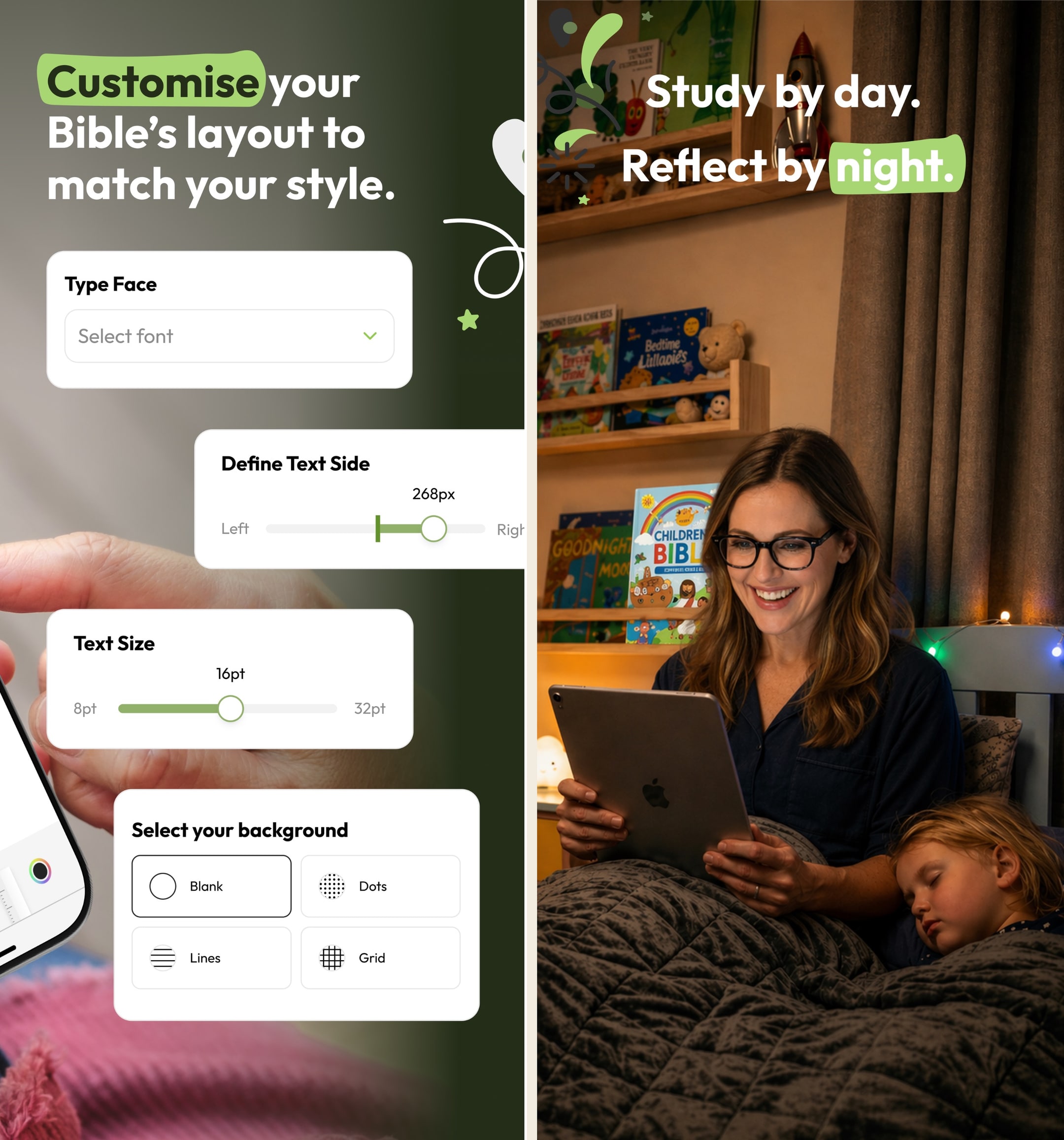
The first thing a new user notices is the layout. Pencil Bible doesn't show scripture as scrollable text; it shows pages — book and chapter spreads with wide margins designed to be marked up. The visual design vocabulary is closer to a designed-book interior than a typical mobile Bible app, and the moment you pick up a Pencil to start writing, the design decision pays off. The pages page naturally, the ink lays down responsively, and the margin space is where the work actually happens.
Day-to-day use
The annotation loop is the experience. We worked through several passages during testing — Romans 8 with margin notes on the participles, the Sermon on the Mount with passage-flow diagrams, Hebrews 11 with handwritten observations on the faith examples — and the experience held up the way it should. The PencilKit ink renders the way it does in Apple Notes or GoodNotes, the page handles repeated annotation without slowing down, and the layout never breaks under heavy markup.
The notebook structure is the second feature that earns its keep. Pro users get unlimited notebooks, which we used to organize annotations by sermon series, by Bible book, and by theme during testing. The tag-based search lets you pull up every passage tagged with 'covenant' or 'discipleship' across all your notebooks, which turns the annotation practice into something searchable later rather than write-once-find-never.
The iCloud sync
Worth a separate mention. Annotations made on iPad show up on iPhone in the same passage within seconds via iCloud sync, which means you can annotate seriously on the iPad and reference your annotations on the phone later. We tested this across a real workflow over multiple weeks and the sync stayed reliable — no missed annotations, no merge conflicts, no surprise reach-for-server moments.
Where it surprised us
The fidelity of the ink experience went beyond what we expected from an indie app. We came in assuming PencilKit alone would carry the experience and the rest of the app would be a thin wrapper; instead the page-spread layout, the typography choices, the way the app handles annotation across page breaks, and the small details of margin-mark behavior all felt purpose-built. For an indie app, the depth of the annotation-experience design is meaningfully better than we expected.
The lifetime purchase option is the second surprise. Most subscription-anchored apps in 2026 don't offer lifetime tiers because the recurring revenue is more attractive — Erin Walker offering $59.99 one-time is a meaningful trust signal for serious users, since it commits the developer to building enough value to justify a permanent purchase.¹ We've watched indie apps disappear when the subscription model failed; the lifetime tier mitigates that risk meaningfully.
Where it disappointed
iOS-only is the structural limit. There's no Android version, no Mac client, no web app, and the underlying PencilKit framework means there can't be a true equivalent on non-Apple hardware. For Android note-takers who want hand-annotation in a Bible app, there is no equivalent product as of 2026. The constraint is honest — building the same experience on Android would be a separate product — but it does mean the app is genuinely unavailable to half the potential audience.
The feature surface is narrow by design and that's a real cost in some workflows. There are no reading plans, no audio Bible, no devotional content, no commentary integration, no original-language tools. For users who want a single Bible app that covers daily reading and study, Pencil Bible doesn't, and the workflow becomes two apps (Pencil Bible plus YouVersion or Olive Tree).
The translation library is smaller than mainstream Bible apps. Major Bible versions are present (NIV, ESV, NLT, KJV, NASB, CSB, and a handful of others), but obscure translations or non-English versions that YouVersion ships aren't all here. For users who occasionally want to compare against a less-common translation, this is a limitation.
The indie scale shows in feature velocity. Pencil Bible has been steadily updated since 2022, and the cadence is reasonable for an indie app, but it's slower than YouVersion or Olive Tree.² Bugs are usually fixed but sometimes on indie timelines, and feature requests don't make it into the next release the way they would on a larger team's roadmap. For serious users this is mostly invisible; for users expecting a mainstream-app update cadence, it's a friction point.
The pricing reality
Pencil Bible has the cleanest indie pricing model in the Bible-app category. Free is enough to evaluate the annotation experience but not for sustained study; Pro Annual at $24.99/year is fine for users who want to commit to a year before deciding; Pro Lifetime at $59.99 is the right pick for any user who knows hand-annotation is part of their long-term study workflow.¹
The honest framing on the lifetime tier: at $59.99, it pays for itself versus the annual rate by year three, and it removes the subscription-renewal friction that indie apps can be vulnerable to. We've watched indie subscription apps stop being updated when the subscription revenue dropped; the lifetime tier locks in the current feature set permanently and treats future updates as upside. For serious users, this is the right pricing trade.
For users budget-conscious about subscription stacking, the comparison is worth running. Olive Tree's subscription is $59.99/year (annual recurring)³; Pencil Bible Lifetime is $59.99 one-time. The two apps cover different jobs — Olive Tree is broader, Pencil Bible is narrower-and-deeper on annotation — but the cost-per-year math favors Pencil Bible meaningfully if you'll keep using it.
All paid plans visible on the Pencil Bible App Store listing. Free trials and intro pricing may vary by region.
Weekly
- Weekly$0.99
- Weekly 2026$1.99
Monthly
- Monthly$3.99
Yearly
- Yearly$24.99
One-time
- Lifetime Access$79.99
- ESV$8.99
- NLT (New Living Translation)$9.99
- 2025 Christmas Sale$16.99
- 2025 Easter Special$18.99
Who else should consider it
Seminary students and pastors who study scripture with handwritten notes are the second audience after lay-study readers. The notebook structure plus the tag-based search makes Pencil Bible viable for sermon prep workflows where annotations need to be findable months later. We've seen pastors use it as the iPad annotation tool alongside Logos for the deeper commentary library, and the pairing works.
Lay Bible-study leaders running small groups can use Pencil Bible as the prep tool for the passage being studied. Annotating a passage during prep, then bringing the iPad to the small group with the marked-up page visible, is a natural workflow that paper-Bible users will recognize.
Calligraphy and journaling enthusiasts in the Christian-creative space are an unexpected third audience. Pencil Bible's annotation surface works fine for decorative scripture lettering and visual journaling, even though the app isn't marketed for that use case.
Our final word
Pencil Bible in 2026 is the kind of indie app the App Store does well — narrow, focused, and genuinely better than the big players at one specific thing. For iPad users with an Apple Pencil who study scripture seriously, the annotation experience is the closest digital equivalent to a paper Bible we've tested, and the lifetime purchase at $59.99 is the right pricing trade for committed users. The constraints are honest: iOS-only, no audio, no plans, indie-scale update cadence. For Apple Pencil users who study seriously, this is a no-brainer; for everyone else, the bigger Bible apps fit better.
What real users say
Beautiful concepts, needs some tweaks to the Pencil support
I absolutely love this concept. I have always wanted some sort of digital bible with the ability to hand write your own notes into it, rather than type them in some hidden menu where they are hidden from view and hard to access/remember that you even took a note on that verse in the past. It always seemed clunky to me to use a digital bible and a physical notebook. Even with the addition of splitting the screen between two apps, it never felt natural to use a bible one one half of the screen and a note taking app on the other, especially because the note taking apps get squished so much they’re hard to use. The translation selection, while limited, does offer a good selection of translations and I see that there are several more on the way as well. I understand obtaining rights to use the text is hard, but what’s there already is a very good starting point. My one complaint with the app is when using the pencil, palm rejection is not great. I unfortunately noticed it right off of the bat when using the Bible in landscape mode. Resting my hand on the display to write will result in the pencil sometimes working, sometimes not, which makes taking notes in the margins more difficult. It seems to confuse some strokes with swipes and tries to scroll the screen, or it won’t write anything for a bit so I try again a couple times, it’ll flash everything I tried to write, then it disappears. Not sure if this is because I am using an older iPad and there’s more lag than the newer ones, but other apps with pencil support, like Penultimate, work just fine and I never have palm rejection issues. Hopefully this can get patched at some point, but until then I will definitely continue using this. It’s about time someone developed an app like this.
— durablecardboard · October 24, 2023
The Journaling Bible We’ve Waited On!
*Updated Below* I bought my first iPad/pencil combo about 3 years ago. Every so often I would search for an app that did just this. I gave up for sometime and recently looked again and found this gem. Instantly purchased ESV for a very reasonable price. Though I would love a CSB option (I hope lifeway will play nice). I have a couple minor draw backs that may be on the radar or my own user error. I will change my rating to 5 stars if they are addressed (or I am corrected). 1. It makes marks when I rest my palm on the screen. I’m using an Apple Pencil. Most things that can be “marked up” with the traditional Apple Pencil pop up will ignore the palm. 2. I personally like the Apple Pencil mark up toolbar more than the one built into the app because it lets you adjust the gauge of your stroke. All the ones I’ve tried in the app seem a little chubby. 3. If it could save a color to the currently selected tool that would be awesome (ex: hi lighter stays yellow and pen stays black). Regardless, I plan on using this app daily! Great work! *Update* They pretty much instantly responded to my review and were already working on every concern I had. That’s incredible. 5 stars!
— jordanatnip · June 17, 2022
Updated review
You came along a bit since the last time I tried the app, glad to see you are getting more bible versions. Love the dark mode. Writing pencils and highlighters are primitive but satisfactory. This is great for journaling, note taking, highlighting. I am seeing growth, and there is so much potential here! Money isn’t a deterrent for me, and money I spend to draw near to God is a good investment in my eyes, but still not enough to pull me from my other bible app. My other app lacks the ability to write in the margin or a side page and that is what keeps me drawing me back to check on the app, but the other app offers a lot of study tools like Strong’s, commentaries, dictionaries, cross reference, more bible versions, the ability to study multiple versions side by side or to swap back and forth. it also is a costly app but again that is not a deterrent for me personally and I have a lot of money invested in the other app already so to leave it at this point I still the more options. Keep going, this app is still the only one I have found that allows writing with my I pencil in a nice wide margin and I can’t tell you how much I love that feature!
— Grininbearit · May 24, 2024
Amazing app but needs some work
This is my first ever review ever since I could care less about writing reviews but I just had to give props to the developer. As an aspiring full stack, everything about this app is magnificent. I love the concept and can’t wait to see how it turns out. That being said, I do want to add a couple things. I was reading some reviews and some mentioned the apple pencil features like the canvas you get and the barrel roll and pinch features and all that. I’d love to see different tools to write and annotate. My main thing is that, I didn’t notice this, when i switched over from an iPad 6th gen (9.7 in I believe) to an iPad mini (8.3 in) my annotations got all messed up. I had circled in an earlier verse and annotated on the side and on the iPad mini, it was circled in the wrong place. Luckily I annotated so I know where I circled but it was all messed up. Not sure if it’s a sizing issue because it only happened when I switched to the new iPad. Aside from that every review I’ve read, most of the features that I want are gonna be in V3 and I’m excited! Love everything you’re doing, keep at it!
— networknadgers · March 18, 2025
What I’ve been wishing for!
I’m an avid journaler , doodler and notetaker, especially in church. I’ve been using Olive Tree Bible for years, and taking notes on a separate app. But sometime you want to make a note in your bible, and while Olive Tree allows you to open a window and make a note, or highlight and underline a passage, you cannot do what this app does with your Apple Pencil. I love drawing arrows, writing related verses in the margins, putting personal insights on the side and more. I just downloaded it today, when I wondered, if I should search Journal + Bible. I would love to see the ability to add extra pages, between the chapters, so I can write down detailed sermon outlines related to the passage. I would also like the option for lines on the side margins. The biggest thing missing is that you can go to the Book and Chapter, but you cannot pick the verse, you just have to scroll through to find it. This might be a problem, say, in Psalm 119. That would be a great feature to add. As one other reviewer mentioned, stickers and other colorful things would be cool. But the biggest need is detailed verse look up.
— ClayBearNBNC · September 8, 2024
Alternatives we considered
Compare Pencil Bible to other Bible apps
Warmpeach — coming soon
A Bible chat app — pastor and therapist in one.
Warmpeach is a Bible chat app that blends a pastor's care with a therapist's questions, grounding every reply in scripture. Join the waitlist and we'll email you when it opens up.
Sources
-
Pencil Bible — App Store listing (Free, Pro Annual $24.99/year, Pro Lifetime $59.99 one-time; iOS-only). Accessed 2026-05-11. https://apps.apple.com/us/app/pencil-bible-bible-notes-app/id1612587185
-
Hands-on testing notes captured during 2026-05 — multi-week annotation testing on iPad with Apple Pencil across Romans 8, the Sermon on the Mount, and Hebrews 11, plus iCloud sync verification on iPhone. Raw screenshots in our internal archive.
-
Olive Tree Bible — App Store listing (Plus annual pricing for comparison). Accessed 2026-05-11. https://apps.apple.com/us/app/bible-app-by-olive-tree/id332615624