
Olive Tree Bible Review
By Sankalp Jonna · Last reviewed 2026-05
Get the app
How we tested
Every app here was installed and used personally. We capture raw findings — typed notes, screenshots, screen recordings, voice memos — and the writing is AI-assisted from those raw notes. Scores, rankings, and "best for / skip if" calls reflect our actual experience with each app. Read the full methodology →
Our verdict
We'd recommend Olive Tree as the right middle path for serious lay readers, small-group teachers, and bivocational pastors who want a real study Bible on phone and laptop without committing to Logos pricing. The split-window view, the long-form notes that sync across iPhone, iPad, Mac, and Windows, and the ownership-model store make this the cleanest answer in the category for users who want to build a permanent library at a sustainable price. Olive Tree Plus at $59.99/year plus a few targeted resource purchases on sale gets most readers further than they expect. Skip Olive Tree if your Bible time is purely devotional reading and reading plans — YouVersion is faster, simpler, and free for that job. Skip it also if you're a working pastor doing weekly sermon prep with original-language exegesis — Logos Pro at $149.99/year will go further on that specific workflow, especially the Passage Guide and Sermon Builder. We use Olive Tree as our daily study app and reach for Logos when we need the deepest commentary catalog and original-language datasets.
Setup and first run
Installing Olive Tree is closer to installing real software than to a typical Bible app onboarding. We installed the free app on a fresh iPhone and an iPad and signed in with the same account on both. Within a minute the library, notes, and highlights had synced across devices. The Mac and Windows clients use the same account, and the cross-platform parity is one of the things Olive Tree quietly does better than most competitors.
The first-run experience asks fewer warm questions than YouVersion or Hallow. There's no daily-rhythm flow, no Christian-Calm onboarding — you land in a Bible reader with the KJV ready to go, with prompts to add free translations or browse the store. That utilitarian feel is the Olive Tree personality, and you'll either find it refreshing or dated. We found it refreshing once we'd given up looking for a content feed.
Day-to-day use
We used Olive Tree primarily for two jobs: a daily reading plan with side-by-side translations, and a focused study session on a single passage with notes and a commentary. Both jobs are exactly what the app is built for.
Split-window reading
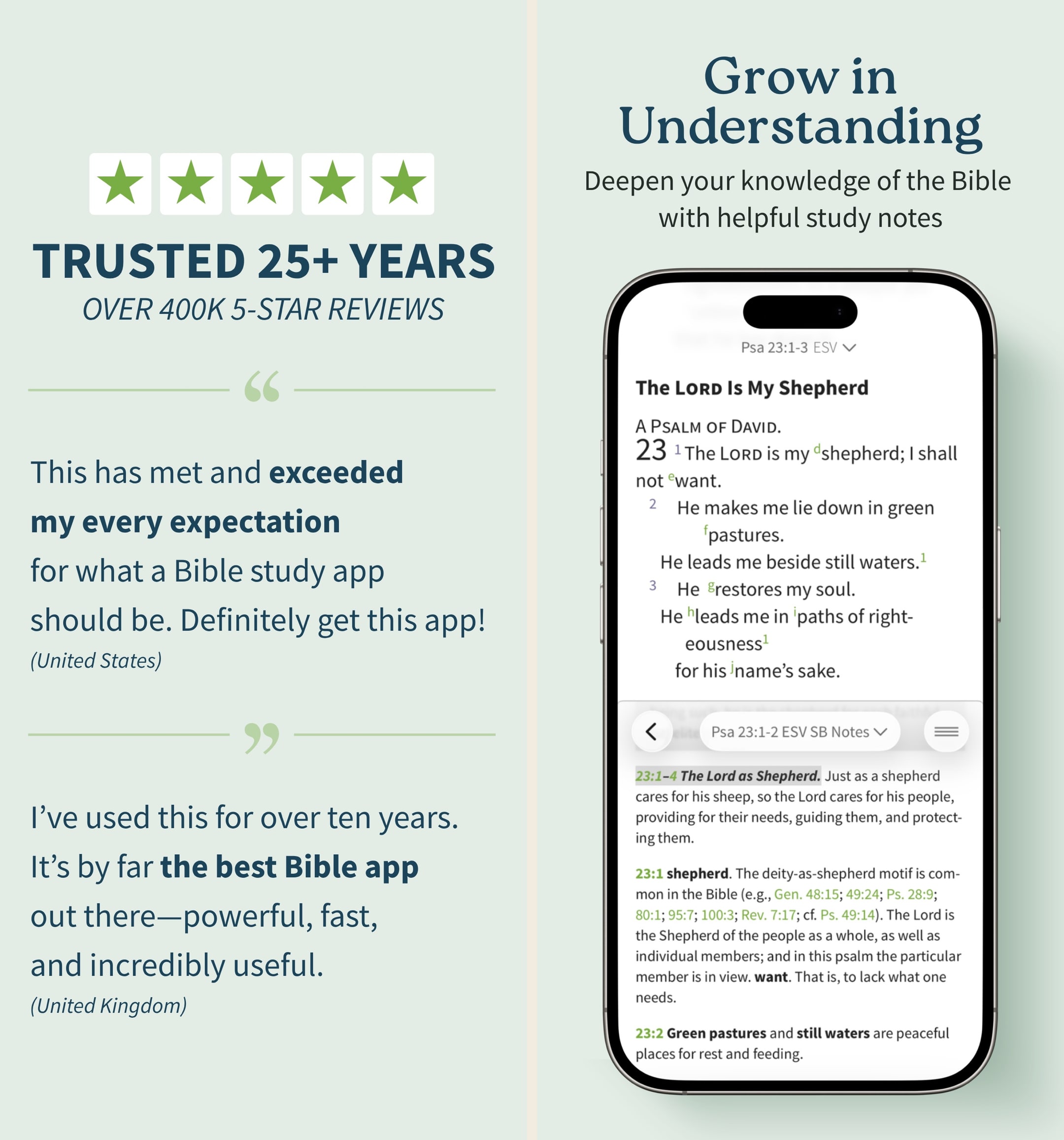
The split-window view is the feature we missed most when we switched away. On an iPad it's the obvious win — two translations or a translation and a commentary side-by-side, scroll-locked together. On an iPhone in landscape mode it works just as well, and on a Mac it's the natural reading layout. We ran a daily plan with the ESV on one side and the NLT on the other for a week, and it changed how we read difficult Pauline passages. No other Bible app on a phone does this as cleanly.
Real notes
Olive Tree's notes are the second thing we kept reaching for. Tap a verse, hit notes, and you get a real text editor — rich text, tags, organization by passage. We built a notebook on Romans 8 over two weeks and could find every entry six months later via tag and search. YouVersion's notes feature looks like a verse highlighter next to this; Logos's notes are deeper but require Pro to be useful. Olive Tree's notes work in the free tier and sync across iPhone, iPad, Mac, and Windows in real time.
Original-language tools
The Strong's concordance and Greek/Hebrew lexicons inside Olive Tree are a real on-ramp for non-scholars who want to look up one word. We tapped a Greek word in Hebrews 4:12, got the Strong's number, the lexicon entry, and every other place that root appears in the New Testament — all without leaving the page. Blue Letter Bible does the same job for free; Olive Tree Plus goes deeper into syntax-aware search, which matters once you're past one-word studies.
Where it surprised us
The free tier is more substantial than we'd expected. We spent the first week of testing entirely on the free app and found it genuinely capable — the split-window view, the notes, several free translations, free commentaries. Most "free" Bible apps in this category gate the useful features; Olive Tree's free tier is one you could actually live in for years.
The desktop apps are the quiet star of the Olive Tree experience. The Mac client especially feels like real software — bigger screen, side-by-side panels, faster searches across the library. For users who study on a laptop and read on a phone, the cross-device sync is what makes Olive Tree work as a complete platform.
The ownership model still matters, and that surprised us in 2026. We assumed everyone in the Bible app world had moved to subscriptions, but Olive Tree's permanent licenses on resources you purchase mean a library you build over five years stays yours indefinitely. Logos's recent push toward subscription-only changes the long-term calculus on building a digital library, and Olive Tree's hold on the ownership model is a quiet differentiator we expect to matter more, not less, over time.
Where it disappointed
The store is a maze. Hundreds of resource bundles, overlapping commentary sets, frequent sales with confusing structures, and a UI that hasn't been updated meaningfully in years. We talked to a small-group teacher mid-testing who'd accidentally bought two overlapping commentary sets because the store didn't make the overlap obvious. Olive Tree Plus mitigates this by giving you a curated library — start there before adding individual resources.
The mobile UI shows its age. Typography, spacing, and animation feel pre-iOS-17, and next to YouVersion or Glorify the app looks like it's from a different decade. The functionality is excellent; the polish lags. If you care about visual feel as much as substance, that's a real deduction.
The community layer is non-existent. No friends, no shared reading plans, no group features. That's a feature for serious solo studiers, who don't want a Christian Instagram in their Bible app, and a deduction for couples or small groups who want shared progress. Pair Olive Tree with YouVersion if you need both depth and social.
The audio Bible is functional but not differentiated. Bible.is and Dwell are noticeably better for audio-first listening; Olive Tree's audio is fine for occasional listening but not the headline experience.
The pricing reality
Olive Tree Plus is $5.99/month, $29.99 every six months, or $59.99/year, with a 14-day free trial.¹ The annual plan is the right pick for any committed user — the monthly tier compounds to ~$72/year, the semi-annual to ~$60/year (basically the same as annual but billed twice), and the annual at $59.99 is the cleanest option.
The smart shape for most users is annual Plus plus targeted resource purchases on the seasonal sales. Black Friday, the end-of-year sales, and Easter all see meaningful discounts on flagship study Bibles and commentary sets.² A patient buyer can build a substantial permanent library for a few hundred dollars over a year or two.
Compared with Logos Pro at $149.99/year³ or Faithlife Connect at higher tiers, Olive Tree Plus at $59.99/year is roughly 40% of the cost. The trade-off is that Logos has more breadth, especially in academic resources. For most lay readers, the catalog gap doesn't matter; for working pastors doing weekly sermon prep, it does.
All paid plans visible on the Olive Tree Bible App Store listing. Free trials and intro pricing may vary by region.
Monthly
- Starter Pack Monthly$2.99
- ESV Study Pack Monthly$5.99
- NIV Study Pack Monthly$5.99
- NKJV Study Pack Monthly$5.99
One-time
- New Living Translation - NLT$9.99
- The Message Bible$11.99
- Olive Tree Bible Maps$17.99
- ESV Study Bible$47.99
Who else should consider it
Bivocational pastors and lay teachers — anyone who teaches scripture in any organized capacity but doesn't preach weekly — are the second-best fit after serious lay readers. Olive Tree Plus plus a flagship commentary set covers most teaching prep at a fraction of Logos pricing.
Mac and Windows users specifically benefit from the desktop clients in a way mobile-only Bible apps don't enable. If your study time is on a laptop, Olive Tree is one of the few apps that takes the desktop experience seriously.
Anyone migrating away from Logos for cost reasons should consider Olive Tree as the natural landing spot — the ownership model, the notes, and the split-window view are the closest equivalents in the lower-cost tier.
Our final word
Olive Tree is the cleanest middle path in the Bible study app market in 2026. The split-window view and real notes are best-in-class for the price, the ownership-model store is increasingly rare and worth protecting, and Olive Tree Plus at $59.99/year is the most defensible study subscription in the category for serious lay readers. The store is a maze and the UI hasn't kept up with newer apps, but the substance is there. We use Olive Tree as our daily study app for everything short of weekly sermon prep, and we'd recommend the same shape to anyone who outgrows YouVersion but balks at Logos pricing.
Best for
Serious lay readers and pastors who want an ownership-model study Bible on phone and laptop without Logos pricing.
Skip if
Casual daily readers who just want reading plans and verse sharing, or working pastors doing weekly sermon prep with deep original-language work.
What real users say
God’s Word on the go!
I have used this particular Bible app. off and on for several years. I really enjoy this version of the Bible. The Bible itself is easily understood and user friendly. I would strongly recommend this wonderful book to any and all both Christian and novice alike. I intend to use it more often and try harder to absorb the words and their meanings each and every day. Probably the best approach would be to start a daily journal to better understand what I am reading. Many do not read the Bible I believe because some of the readings are hard to understand but this version is very user friendly as stated. So those reading these comments let me encourage you to take some time to read and pursue the Olive tree Bible version and see for yourself. Ask God to open your mind, heart and eyes in the pursuit of His truth and watch the blessings flow in your life. We are living in hard times so much doubt and fear surrounds us all. Many are looking for peace. The peace you look for can be found in God’s Word. Don’t believe me read for yourself. If you are looking for a true friend Look no further than God Himself. He loves you and cares very much for you and your family and friends. As a follower of Christ even though we have never met I love you as a bother and sister. My prayer is that God will open your eyes and heart to what He wants for you in this life. Never give up, keep reaching to the heavens and know your are loved beyond your comprehension. Blessings to all Rick
— a new begjnning · April 11, 2022
My "Go to" Bible
Since the days of Palm, Blackberry and other PDA's, it's amazing that there are literally dozens of different translations and dozens of different commentaries available at ones fingertips. Olive Tree's app is easy to access and easy to use (and this by someone not the least bit tech savvy), with their Resource Guide handily cross referencing Bibles, commentaries, dictionaries, and other reference materials... even one's personal notes. I use it for my individual Bible study/daily devotions, and my husband uses it in far more detail and depth for his sermon prep.. It can be as simple or complex as someone wants to make it, and there is no lack of choices in Olive Tree's library. It moves a bit more smoothly than Laridian, is far simpler to navigate that Accordance, and is more affordable than Logos... One thing to note... When you purchase books, I recommend you always go through their website instead of buying them through the app... 1. If there's a problem you can return the book for a full refund, 2. You can earn points and get discounts... One thing I would improve... The search engine... When a word or phrase is searched, it only searches the book that is open... (As opposed to Laridian which will search your entire library...) After using a number of computer programs, PDA and other Bible apps for years, I find that Olive Tree is the app I start with, end with, and use the most in between...
— Biblehearted · August 4, 2024
After many years, I came back to Olive Tree!
This app is amazing for anyone, regardless of their level of bible study. I am amazed how well the parallel window with notes for study tracks where I am in my bible. Recently, I downloaded a version of the Evidence Study Bible notes from the Olive Tree store. The print version of this bible is only available in the NKJV and the KJV (a little harder to find). I love both those versions but I found out the versatility of the Olive Tree software when I changed translations while reading a particular passage. So, while switching translations from, say, the KJV, ESV, NIV, and even the Message, the notes remain in the parallel window and track through what ever Bible you choose. Additionally, the ESV study bible through Olive Tree bible software navigates with its own parallel window of the massive notes and articles right there for clarification and study. I also have a Kindle version of the ESV study bible as well as the NIV study bible. The Olive Tree software is superior to navigating through the notes and study. There are negative reviews of study bibles through Kindle, and I would have to agree that they are glitchy. Olive Tree, like any other bible software, has its own personality, so to speak, but once learning it, its been a fantastic enhancement to my studies. Also, and most importantly, the app has amazing free features to test out. Well done Olive Tree.
— Gracejunkie · April 23, 2023
Nothing else compares. Its the bible app you always wanted.
I’ve been using this app for several years now. I love the resources that tag to verses. I learn so much more with the commentaries and dictionaries I’ve purchased over the years. One new feature (or new to me) is the audio piece. Dear developer and who ever thought this up, THANK YOU!! I had been buying audio bibles by the book in iBooks ( way more expensive) because all audio bibles go by track numbers. -which drove me absolutely nuts! But you actually made it not only down to the book but to the verse! That was worth buying the complete audio bible all over again. Even in the iBooks, the smaller books were often lumped together so it was hard to simply listen to say Galatians. Best of all, I carry an entire library with me in my pocket where ever I go. I love to dig into the historical meaning of scripture. Especially when I don't understand something. This app lets me cross reference dozens of books in an instant and get a better understanding of it. This is great for those extra content study bibles like archeology study bible or thomspons chain reference. I dont have to worry about buying the right version of those now. I can point the study notes to what ever version I feel like reading. I still have a physical copy of the bible. But it collects dust now. This app is my go-to. Way to go for a superior app. Keep up the awesome work!
— Madhattersam · October 18, 2019
Longtime, Grateful, Frustrated User
I’ve been with the Olive Tree platform for a long, long time. I am a huge fan and have evangelized others to its many virtues. It has literally transformed my Bible study. I can’t say enough good things. BUT!….the platform is aging and significant updates are LONG OVERDUE. We are years late on getting HTML Text Editing, as well as the rather simple ability to attach documents to a note or verse (PDF, Photo, Word doc). Every update for years and years has largely been minor, glitch related bug fixes. The most recent large new feature was audio Bible, which is nice, I’m sure, but of little use to me. If I were not so heavily committed with library investments, extensive notes and highlights, I would likely have changed platforms. But I’m stuck. Thus the frustration. I’m giving it four stars because I want the dev team to give us a major full x.o point upgrade asap. Also, the backup to Evernote has not worked in a decade, but when it did, it was brilliant. I would greatly prefer to have a secondary, third party partner for backup (similar to Evernote) that adds goes beyond exclusive reliance on Olive Tree’s cloud sync. Thank you for the cloud sync, let’s keep it, it works brilliantly, but give us a backup to our backup. PLEEEEAAASSSEE do these things! This app is amazing, but it is becoming less so with every passing year.
— JB073006 · May 24, 2023
Alternatives we considered
Compare Olive Tree Bible to other Bible apps
Warmpeach — coming soon
A Bible chat app — pastor and therapist in one.
Warmpeach is a Bible chat app that blends a pastor's care with a therapist's questions, grounding every reply in scripture. Join the waitlist and we'll email you when it opens up.
Sources
-
Olive Tree Bible — App Store listing (Plus pricing: monthly, semi-annual, annual; 14-day trial). Accessed 2026-05-11. https://apps.apple.com/us/app/bible-app-by-olive-tree/id332615624
-
Hands-on testing notes captured during 2026-05 — multi-week testing of split-window reading (ESV/NLT), Romans 8 notebook, and Strong's lookup in Hebrews 4:12 across iPhone, iPad, and Mac. Raw screenshots in our internal archive.
-
Logos Bible Study — App Store listing (Pro annual pricing comparison). Accessed 2026-05-11. https://apps.apple.com/us/app/logos-deep-bible-study/id336400266